
How to Generate a Universal QR Code for Free (No Signup, No Expiry)
Step-by-step tutorial on how to generate free universal static QR codes for links, bank accounts, PDFs, WiFi, contacts & apps without account registration.
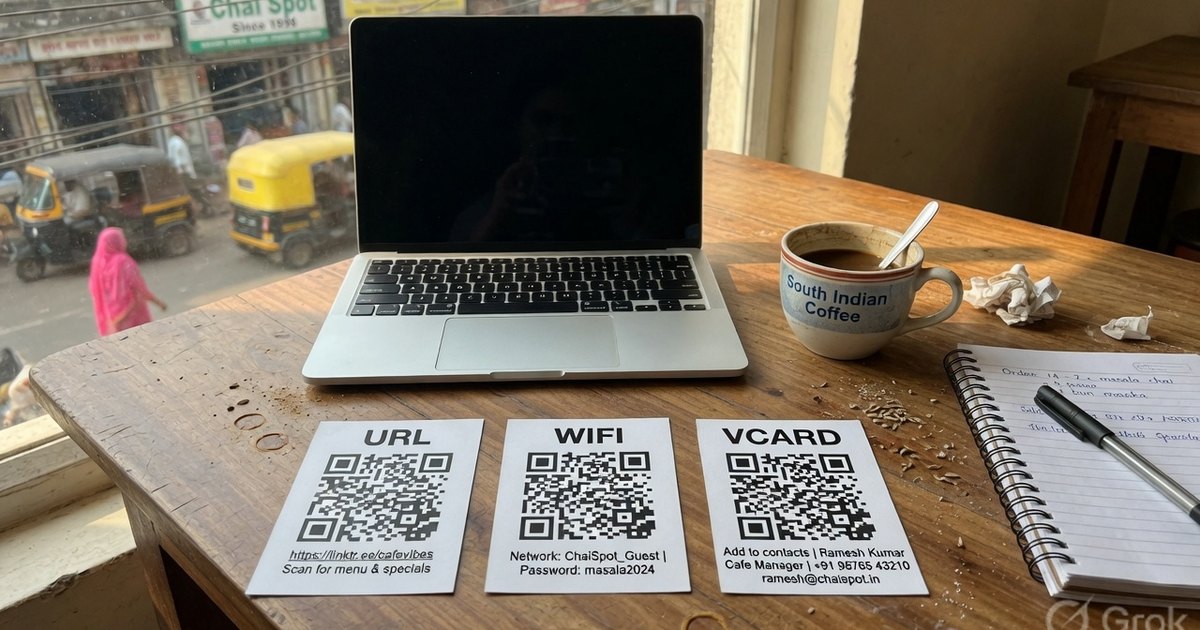
Whether you want to accept payments across PhonePe, GPay, and Paytm, direct customers to your website, share a PDF menu, or let guests connect to WiFi, a universal QR code is the simplest solution.
However, many online QR generators trick users with “free trials” that expire after 14 days, insert unwanted watermarks, or lock high-resolution downloads behind paywalls.
In this beginner-friendly guide, we show you how to generate a 100% free universal QR code with no signup, no expiration date, and unlimited scans.
What Makes a QR Code “Universal”?
A universal QR code refers to a standardized QR matrix format that is recognized and processed seamlessly across all smartphone operating systems (iOS, Android), camera scanners, and third-party scanner applications.
Universal QR codes come in two main applications:
- Universal Content QRs: Standard ISO/IEC 18004 QR codes encoding universal protocol schemes like
https://,WIFI:,BEGIN:VCARD,tel:, ormailto:. - Universal Payment QRs: Interoperable UPI QR codes encoding NPCI
upi://payschemas that work on PhonePe, Google Pay, Paytm, BHIM, and bank apps simultaneously.
Static vs. Dynamic Universal QR Codes: Why Static is Best for Free Use
When creating a universal QR code, understanding the difference between static and dynamic formats is critical:
| Feature | Static Universal QR (Recommended) | Dynamic QR (Subscription-Based) |
|---|---|---|
| Data Encoding | Data is hardcoded directly into the QR pixels | Contains a short URL pointing to a middleman server |
| Expiration | ♾️ Permanent — Never expires | ⚠️ Expires if subscription pauses |
| Scan Limits | ♾️ Unlimited scans | ⚠️ Capped scan quotas per month |
| Privacy | 🔒 100% Private — Direct destination | ⚠️ Tracks user IP, location & device info |
| Cost | 💚 100% Free forever | 💸 $10–$50/month recurring fees |
Because static QR codes encode data directly into the graphic, they require no server hosting and can never be disabled or deleted.
Step-by-Step: How to Generate a Free Universal QR Code
Generating your universal QR code takes less than a minute using Pro UPI QR:
Step 1: Open the Free Universal Editor
Navigate to the Universal QR Code Generator. For a bank-account payment QR, open the UPI Pay tab. For a printed shop standee, use the UPI poster generator.
Step 2: Choose Your QR Type
Select your intended content format from the top selector:
- 🌐 URL / Website: Share any web page, portfolio, or social media link.
- 💳 UPI Payment: Collect payments for any bank account via PhonePe, GPay, or Paytm.
- 📄 PDF / File: Share hosted PDF menus, catalogs, or documents.
- 📶 WiFi Network: Let guests auto-join WiFi without typing passwords.
- 📇 vCard / Contact: Let users save your name, phone, and email in one tap.
- 📱 App Store Link: Direct users to iOS App Store or Google Play Store.
- 💬 SMS / Text: Pre-fill SMS text messages.
Step 3: Fill in Content Details
Enter your destination link, bank VPA, or text payload into the input fields.
Step 4: Customize (Optional)
- Pick custom foreground and background colors to match your brand.
- Select center badges (PhonePe, GPay, Paytm, or custom logo icons).
Step 5: Instant PNG Download
Click Download PNG to save your crisp, print-ready image file.
Best Practices for Printing Universal QR Codes
To ensure your universal QR code scans instantly on all devices, follow these printing guidelines:
- Maintain Minimum Size: Print physical QR codes at a minimum dimension of 1.2 x 1.2 inches (3 x 3 cm) for close range (e.g. business cards), and 4 x 4 inches (10 x 10 cm) for outdoor banners.
- High Color Contrast: Always use a dark QR code on a light background. Light-colored QR codes on dark backgrounds often fail to scan on budget phone cameras.
- Use Matte Finish: Avoid glossy lamination films that reflect ceiling lights or sunlight. Matte lamination guarantees 100% scanner readability.
- Test Before Mass Printing: Always scan your printed sample with 2 different smartphones (1 iOS, 1 Android) before executing a large print run.
Frequently Asked Questions
Q1. Are these universal QR codes truly free with no hidden catch?
Yes. Pro UPI QR uses browser-side JavaScript to render static QR codes locally on your device. Since no server storage or redirection tracking is needed, the tool is 100% free with no trial limits or ads.
Q2. Can I generate a universal QR code for my small shop or kirana store?
Yes! Select the UPI Payment option or use our UPI Standee Builder to create counter-ready payment posters for your shop.
Q3. Do I need to create an account to download my QR code?
No. You do not need to enter an email address, phone number, or create a password. Just generate and download instantly.
Create Your Free Universal QR Code Now
Ready to create your permanent, high-resolution QR code? Visit the Free Universal QR Code Generator now.
Kunal Siyag
Founder, Pro UPI QR
Founder of Pro UPI QR. Builds the generators and calculators, writes the merchant guides, and cites NPCI, RBI, and bank sources instead of inventing a research team.
Related Articles
NPCI QR Code vs BHIM QR vs Bharat QR: What Is the Difference?
What an NPCI QR code is, how it differs from a BHIM QR and a bank-issued Bharat QR, and why NPCI has no official website that prints shop QR codes.
Free UPI API Without a Payment Gateway
Build UPI payments with the free upi://pay URI — no Razorpay KYC. What NPCI APIs actually require, and how to embed a QR or payment link on a website.
QR Code From Bank Account Number
You cannot encode IFSC and account number into a UPI QR. Find your VPA from SBI, HDFC, or ICICI, then generate a free QR that credits the linked bank account.
Related tools
Four siblings in this topic — the full inventory lives on the hub.
PhonePe QR Generator
Create a PhonePe QR from an @ybl, @ibl, or @axl UPI ID.
Google Pay QR Generator
Build a GPay-friendly standee customers can scan from any UPI app.
Paytm QR Generator
Generate a Paytm-compatible payment QR for shops and local businesses.
BHIM UPI QR Generator
Print a free NPCI-format BHIM UPI standee from your VPA.