
How to Receive International UPI Payments: A Step-by-Step Guide
Find out how merchants, NRIs, and tourists can accept and make international payments through UPI in countries like UAE, Singapore, Nepal, France, and more.
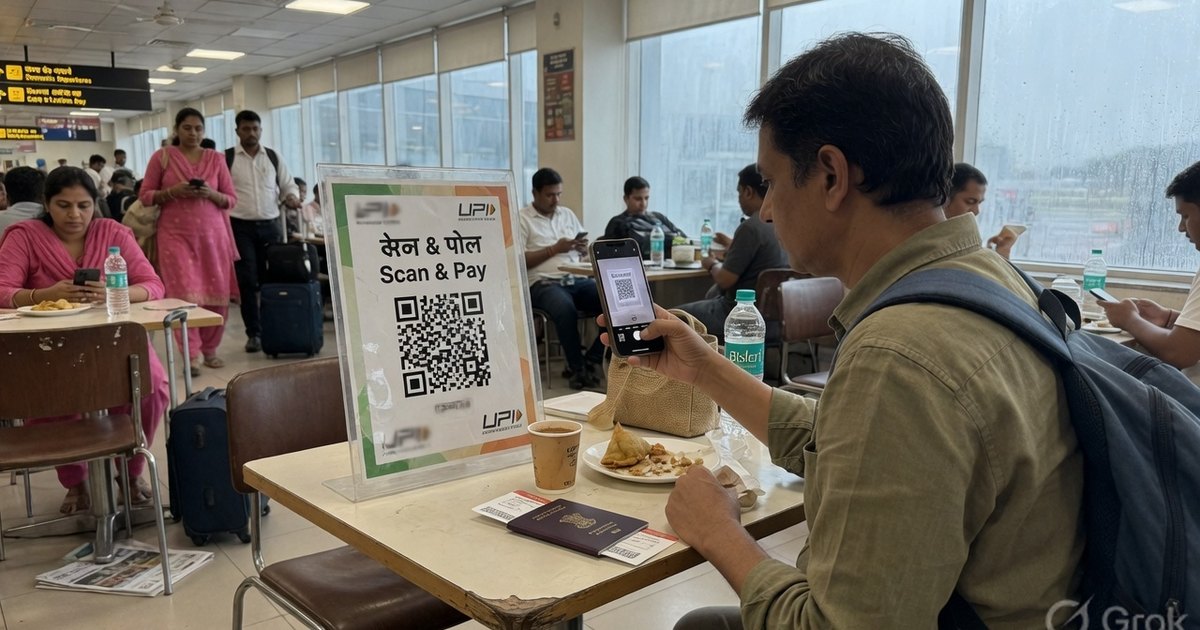
The Unified Payments Interface (UPI) has revolutionized how people pay in India. Today, UPI is going global. The National Payments Corporation of India (NPCI) and its international arm, NIPL, have actively partnered with central banks and financial agencies worldwide to enable cross-border UPI payments.
If you are a local merchant wanting to accept payments from foreign tourists, an NRI (Non-Resident Indian) living abroad, or an international traveller visiting India, here is everything you need to know about international UPI.
1. How NRIs Can Set Up and Use UPI Internationally
Previously, setting up a UPI account required an active Indian mobile number (+91) linked to an Indian bank account. However, NPCI now permits NRIs residing in select countries to link their international mobile numbers to their NRE (Non-Resident External) or NRO (Non-Resident Ordinary) accounts.
Supported Countries for International Mobile Numbers:
As of now, NRIs from the following countries can set up UPI with their local mobile numbers:
- Singapore
- United Arab Emirates (UAE)
- Mauritius
- United Kingdom (UK)
- United States (USA)
- Saudi Arabia
- Canada
- Australia
- Oman
- Qatar
How to link:
- Download a UPI-enabled app (like PhonePe, BHIM, or Google Pay).
- Register using your foreign mobile number (e.g. +1, +44, +971).
- The app will search for bank accounts linked to that number. Select your NRE or NRO account.
- Set up your UPI PIN using your debit card credentials.
2. UPI for International Tourists Visiting India: “UPI One World”
To make payments easier for foreign nationals and tourists visiting India, NPCI introduced the UPI One World wallet. Because tourists might not have Indian bank accounts, this pre-funded digital wallet bridges the gap.
How it Works:
- Purchase at Entry Points: Tourists can obtain the UPI One World prepaid wallet at authorized airports, foreign exchange counters, and designated banks upon arriving in India.
- Passport Verification: The wallet is set up using physical passport verification and a tourist visa.
- Load Cash or Card: You can load Indian Rupees (INR) into the wallet using cash or a foreign credit/debit card.
- Scan and Pay: The tourist can download corresponding UPI merchant apps to scan standard store QR codes (like those generated by Pro UPI QR) at any shop across India.
- Refund Remaining Balance: Any unused funds in the wallet can be refunded back to the original funding source upon departure.
3. Using Indian UPI Apps Abroad
If you are an Indian resident traveling abroad, you can also use your existing UPI apps to pay merchants in foreign countries that support UPI.
Countries Where UPI is Accepted at Local Merchants:
- Nepal: Accepted extensively across stores and local merchants.
- Singapore: Seamless integration with PayNow, allowing peer-to-peer transfers.
- United Arab Emirates (UAE): Accepted at various malls, terminals, and retail shops via NEOPAY terminals.
- France: Accepted at iconic tourist spots like the Eiffel Tower and select retail galleries.
- Mauritius, Sri Lanka, Bhutan: Supported at local retail outlets.
How to activate UPI International:
Before scanning an international QR code, you must enable international transactions inside your app:
- Open your UPI app (e.g., Google Pay, PhonePe, or BHIM).
- Go to Settings or your Profile.
- Find UPI International or International Payments.
- Select the bank account you wish to activate and enter your UPI PIN.
- Choose the activation duration (typically active for up to 90 days to protect against unauthorized international requests).
4. How Indian Merchants Can Accept International Payments
If you are an Indian shop owner, you don’t need any special hardware to accept payments from foreign tourists using UPI One World or NRIs using linked accounts.
Since international UPI transactions run over the standard NPCI networks, scanning your normal UPI QR poster or billing receipt will route the transaction safely. Keep the following in mind:
- Ensure your merchant account is registered and verified to accept payments from non-resident banks.
- Verify the payment status on your bank app or wait for your Soundbox notification to ensure the transfer was successful.
To create clean, professional payment standees for your business or store, check out the Pro UPI QR Generator.
Kunal Siyag
Founder, Pro UPI QR
Founder of Pro UPI QR. Builds the generators and calculators, writes the merchant guides, and cites NPCI, RBI, and bank sources instead of inventing a research team.
Related Articles
Extract UPI ID From a QR Code Online
Upload a UPI QR to extract the VPA, payee name, and amount in your browser. Decode PhonePe, GPay, Paytm, or BHIM codes without sending the image to a server.
NPCI UPI QR Code Generator Explained
NPCI has no public shop QR generator. Create an NPCI-compliant upi://pay QR for PhonePe, GPay, Paytm, and BHIM — and how Bharat QR differs.
P2M Meaning in Banking and UPI Payments
P2M is person-to-merchant UPI. P2P is person-to-person. Learn the difference, refund TAT, MDR, and when a shop should use a merchant VPA instead of a personal UPI ID.
Related tools
Four siblings in this topic — the full inventory lives on the hub.
UPI error code resolver
NPCI returned error? Look up U16, Z9, ZM and 40+ sourced codes.
Indian bank UPI limits
Daily caps for 30+ banks, last-reviewed with NPCI-facing sources.
UPI QR validator & decoder
Safety-check the VPA, amount, and tamper clues before you trust or reprint.
UPI MDR savings calculator
Compare gateway MDR with direct UPI. RuPay CC UPI is called out separately.