
Extract UPI ID From a QR Code Online
Upload a UPI QR to extract the VPA, payee name, and amount in your browser. Decode PhonePe, GPay, Paytm, or BHIM codes without sending the image to a server.
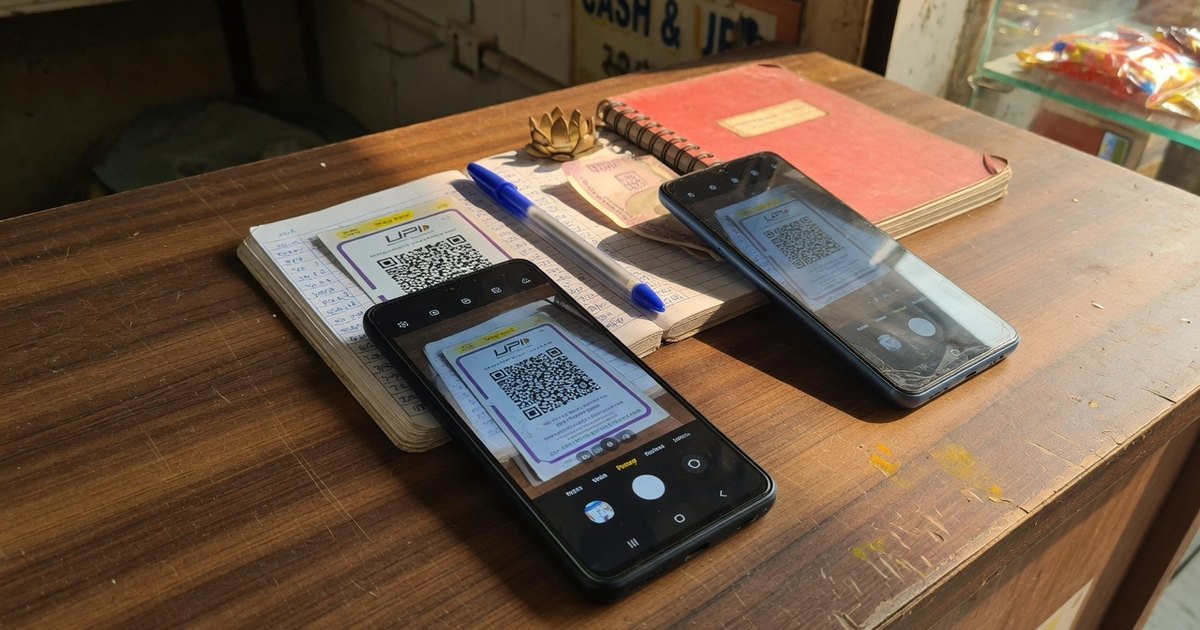
A UPI QR is not a mystery bitmap. It is a upi://pay string printed as a matrix. Extract UPI ID from QR code means reading the pa= field — your Virtual Payment Address — plus the payee name and any locked amount.
Do this before you print a standee, after you find a sticker on the counter, and whenever a customer says the name on screen looks wrong.
Last reviewed 13 September 2026.
Fastest way: decode in the browser
- Open the UPI QR decoder.
- Upload a photo or screenshot of the QR — PhonePe, GPay, Paytm, BHIM, or a bank print. The image stays in this tab; it is not uploaded.
- Read VPA (
pa), payee name (pn), amount (am), and note (tn). - Match
pato the UPI ID in your bank app. If they differ, do not display that print.
A second phone’s camera app also works: scan, copy the upi://pay… link, and read the text after pa=. The decoder is safer because it flags missing VPA, odd handles, and non-UPI URLs.
What you can and cannot learn from a QR
| You can extract | You cannot extract |
|---|---|
| UPI ID / VPA | The 16-digit account number |
| Payee name shown to the payer | PAN, Aadhaar, or IFSC |
| Locked amount and note | A public “who owns this VPA” directory |
MCC if the merchant QR included mc= |
Whether the last payment succeeded |
There is no official QR to UPI ID finder that reverse-looks-up a stranger’s bank account. If a tool promises “find whose UPI this is” beyond the VPA printed in the code, it is guessing or phishing.
When merchants should decode
- Before print. Confirm you did not typo
shop@okaxisasshop@okaxi. - Sticker swap check. Run a finger over the acrylic, photograph the QR, decode. Overlay frauds change
pawhile the poster still looks like yours. See prevent QR tampering. - Customer dispute. If they paid the wrong name, the decoded
pn/pais the evidence, not the colour of the standee.
Phone scan vs decoder vs UPI app
Scanning inside PhonePe or GPay starts a payment. That is the wrong tool when you only want to get UPI ID from QR code. Use a generic QR reader or the decoder so you never enter a PIN just to inspect a sticker.
Frequently asked questions
Q1. How do I extract a UPI ID from a PhonePe or GPay QR?
Upload the image to the decoder. Standard Indian UPI QRs share the same upi://pay payload. App artwork around the matrix does not change pa.
Q2. Can I find someone’s UPI ID by scanning their shop QR?
You can read the VPA encoded in that QR. You cannot look up a private directory of all UPI IDs, and you should not pay a random sticker to “test” it with a large amount. A ₹1 test to a VPA you already own is the merchant check.
Q3. The decoder shows a website instead of upi://pay. Is that safe?
No. Do not print or scan it at the counter. Genuine UPI QRs open a member app, not a login page. Replace the standee.
Q4. Does decoding upload my QR to a server?
Not on this site. Decoding runs in the browser. Prefer that over random “QR to UPI ID” APKs that ask for camera and contacts.
Related: Verify a QR before displaying · Is it safe to scan a UPI QR? · QR not scanning fixes
Kunal Siyag
Founder, Pro UPI QR
Founder of Pro UPI QR. Builds the generators and calculators, writes the merchant guides, and cites NPCI, RBI, and bank sources instead of inventing a research team.
Related Articles
How to Verify a UPI QR Code Before Displaying at Your Shop
A 5-minute merchant checklist to confirm your UPI QR payee name, VPA, and print quality before customers start paying.
How to Change UPI ID on a Printed QR Standee (Bank Switch Guide)
Switched banks or got a new VPA? Learn how to retire old UPI QR standees, regenerate codes, and avoid payments going to the wrong account.
How to Create a UPI QR Code Without a Business Account
Yes, you can accept UPI payments with a personal UPI ID. Learn limits, risks, and when to upgrade to a merchant VPA for shops and freelancers.
Related tools
Four siblings in this topic — the full inventory lives on the hub.
PhonePe QR Generator
Create a PhonePe QR from an @ybl, @ibl, or @axl UPI ID.
Google Pay QR Generator
Build a GPay-friendly standee customers can scan from any UPI app.
Paytm QR Generator
Generate a Paytm-compatible payment QR for shops and local businesses.
BHIM UPI QR Generator
Print a free NPCI-format BHIM UPI standee from your VPA.