
Universal UPI QR Generator App: Mobile Poster Guide
Looking for a universal UPI QR code generator app? Learn how to generate instant, secure multi-app payment QRs directly on your smartphone without downloading store apps.
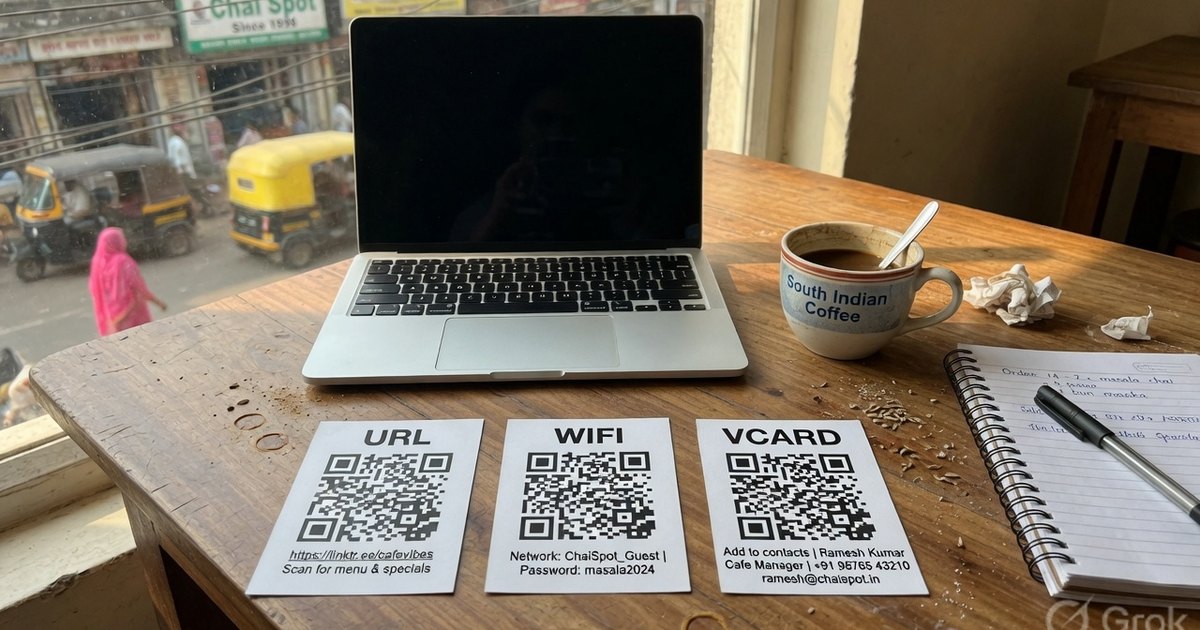
Many shop owners, freelancers, and small business operators search Google Play or the App Store for a universal UPI QR code generator app. They want a fast, mobile-friendly tool to create payment standees, table cards, or digital payment links right from their smartphone.
However, downloading native Android or iOS apps for QR generation often comes with drawbacks: invasive phone permissions, popup advertisements, mandatory phone registration, or hidden subscription fees.
In this guide, we explain how modern web technology allows you to use a free, browser-based universal UPI QR code generator app directly on your phone — with zero downloads, zero ads, and 100% privacy.
Why Choose a Web App Over Native Store Apps?
When generating a payment QR code for your bank account, security and privacy are paramount. Here is how a progressive web app (PWA) like Pro UPI QR compares to typical store-downloaded apps:
| Feature | Pro UPI Web App | Native Store App (Play Store / App Store) |
|---|---|---|
| App Download | ❌ Zero download required | ⚠️ Requires 25MB–80MB storage space |
| Permissions | 🛡️ Zero permissions (No contacts, storage, or camera access) | ⚠️ Often requests contacts, location & storage access |
| Advertisements | 🚫 No banner, video or pop-up ads (one labelled sponsor card on the homepage) | ⚠️ Frequently crammed with banner & video ads |
| Account Signup | 🚫 No login or phone number required | ⚠️ Requires account creation & OTP verification |
| Data Privacy | 🔒 100% Local (Client-side QR generation) | ⚠️ Uploads payment details to third-party servers |
| Cost | 💚 100% Permanent Free | ⚠️ Subscription popups for high-res exports |
How to Install Pro UPI QR as a Mobile App (Step-by-Step)
You can convert Pro UPI QR into a lightweight app icon on your smartphone home screen in under 10 seconds:
For Android (Google Chrome / Samsung Internet / Brave):
- Open proupiqr.in/universal-qr-generator/ in Chrome on your phone.
- Tap the Three Dots Menu (⋮) in the top right corner.
- Select Add to Home screen (or Install app).
- Tap Add. A clean Pro UPI QR app icon will now appear alongside your regular apps.
For iPhone / iPad (Apple Safari):
- Open proupiqr.in/universal-qr-generator/ in Safari.
- Tap the Share Button (square with an up arrow) at the bottom toolbar.
- Scroll down and tap Add to Home Screen.
- Tap Add in the top right corner.
Features of the Mobile Universal UPI QR Generator
Once saved to your phone’s home screen, the universal web app provides a complete payment toolkit:
1. Multi-App Payment QR Builder
Generate a single universal QR code that accepts payments from:
- PhonePe
- Google Pay (GPay)
- Paytm
- BHIM UPI
- Bank Apps (YONO SBI, HDFC Mobile, iMobile, Mobikwik, Navi, etc.)
2. Universal Non-Payment QR Code Generator
Need non-payment QR codes on the go? Switch tabs in the mobile editor to create:
- Website / URL QRs: For portfolio links, menu cards, or feedback forms.
- PDF Document QRs: For brochures, price lists, or catalogs.
- WiFi Access QRs: Instant guest connection without sharing passwords.
- Contact Card (vCard) QRs: Share contact details instantly at networking events.
3. Instant High-Res Downloads
Download vector-quality PNG images directly into your phone’s gallery or files app. Send them to WhatsApp printers or digital billing tools immediately.
How to Generate a UPI Payment QR on Mobile
- Tap the Pro UPI QR app icon on your phone home screen.
- Select UPI Payment (or open the UPI Poster Builder).
- Enter your Payee Name and UPI VPA (e.g.
9876543210@ybl). - Select a mobile-ready template (e.g., Shop Standee or Taxi Cab Card).
- Tap Download PNG.
- Print or share directly via WhatsApp, Telegram, or email.
Frequently Asked Questions
Q1. Does the universal UPI QR generator app work offline?
Yes! Once loaded in your mobile browser, the QR rendering code operates locally inside your browser’s JavaScript engine. You can generate QR codes even without active internet connectivity.
Q2. Is my UPI ID stored on any server when using the mobile web app?
No. Pro UPI QR does not transmit your payee name, UPI ID, or transaction details to any backend server. Everything stays 100% private inside your mobile device.
Q3. Is there any limit on how many QR codes I can generate on mobile?
No. You can generate unlimited QR codes for free without scan limits, watermarks, or expiration dates.
Try the Universal QR Mobile App Now
Skip store downloads and intrusive app permissions. Open the Universal QR Code Web App on your mobile browser today.
Kunal Siyag
Founder, Pro UPI QR
Founder of Pro UPI QR. Builds the generators and calculators, writes the merchant guides, and cites NPCI, RBI, and bank sources instead of inventing a research team.
Related Articles
NPCI QR Code vs BHIM QR vs Bharat QR: What Is the Difference?
What an NPCI QR code is, how it differs from a BHIM QR and a bank-issued Bharat QR, and why NPCI has no official website that prints shop QR codes.
Free UPI API Without a Payment Gateway
Build UPI payments with the free upi://pay URI — no Razorpay KYC. What NPCI APIs actually require, and how to embed a QR or payment link on a website.
QR Code From Bank Account Number
You cannot encode IFSC and account number into a UPI QR. Find your VPA from SBI, HDFC, or ICICI, then generate a free QR that credits the linked bank account.
Related tools
Four siblings in this topic — the full inventory lives on the hub.
PhonePe QR Generator
Create a PhonePe QR from an @ybl, @ibl, or @axl UPI ID.
Google Pay QR Generator
Build a GPay-friendly standee customers can scan from any UPI app.
Paytm QR Generator
Generate a Paytm-compatible payment QR for shops and local businesses.
BHIM UPI QR Generator
Print a free NPCI-format BHIM UPI standee from your VPA.