
UPI QR Code Generator for Bank Account Payments
Learn how to use a universal QR code generator for your bank account. Connect SBI, HDFC, ICICI or personal VPA and receive PhonePe, GPay & Paytm payments directly.
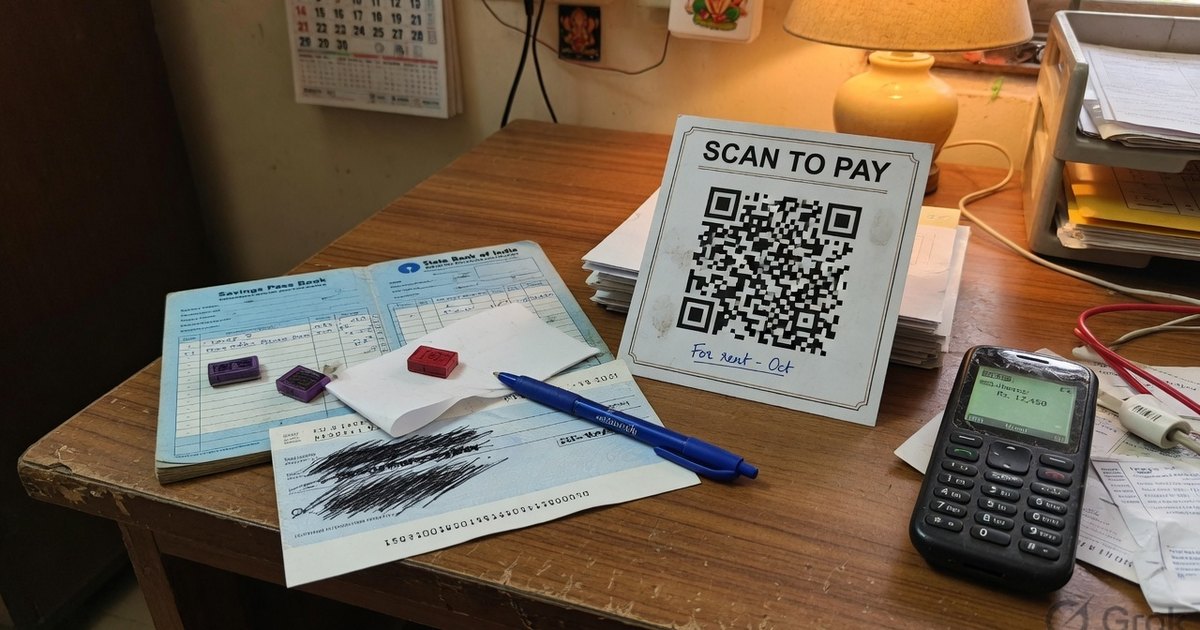
Accepting direct bank transfers from customers, clients, or students by manually sharing an 11-digit IFSC code and 16-digit account number is slow, error-prone, and outdated. A single typo in an account number can delay payments or trigger failed transfers. You also cannot encode that account number into a UPI QR — the matrix needs a VPA. See QR from bank account number.
Last reviewed 27 August 2026.
The modern alternative is using a universal QR code generator for bank account collections.
In this guide, we walk you through how universal UPI QR codes connect to Indian bank accounts, how to locate your bank-issued UPI VPA, and how to create a high-resolution, multi-app payment QR standee in under 30 seconds for free.
Why Use a Universal QR Code Generator for Bank Accounts?
Many business owners mistakenly believe that to accept UPI payments directly into a bank account, they must sign up for expensive merchant POS hardware or separate merchant accounts with PhonePe, Google Pay, and Paytm individually.
A universal UPI QR code generator bypasses app lock-in by using the open NPCI UPI URI specification.
Universal Bank QR vs. Manual Bank Transfers vs. Individual App QRs
| Feature | Universal Bank QR | Manual IFSC / Account Transfer | App-Specific QR Standee |
|---|---|---|---|
| Payer Friction | ⚡ Instant (Scan & Pay) | 🐢 Slow (Add beneficiary + wait time) | ⚡ Instant |
| App Compatibility | ✅ All UPI Apps (PhonePe, GPay, Paytm, BHIM) | N/A (Netbanking only) | ❌ Restricted or branded to 1 app |
| Error Risk | 0% (VPA hardcoded in QR) | High (Typo in IFSC or account number) | 0% |
| Setup Cost | ₹0 (Free browser generation) | ₹0 | Often requires merchant KYC / hardware fees |
| MDR Charges | 0% on bank-to-bank UPI; RuPay CC UPI above ₹2,000 may carry interchange | 0% | Same UPI MDR rules |
How Universal QR Codes Map to Your Bank Account
Unified Payments Interface (UPI) functions as a national financial alias system. NPCI maps your 11-digit IFSC code and bank account number to a human-readable address called a Virtual Payment Address (VPA) or UPI ID (e.g. yourname@bank).
When a customer scans your generated universal QR code:
- The payment app extracts your VPA (
pa=name@bank). - The app communicates with NPCI’s Central Mapper to verify the destination bank account.
- Funds route directly through IMPS/UPI into your linked bank account within 2 seconds.
- Both customer and merchant receive instant SMS alerts from their respective banks.
Step 1: Find Your Bank Account UPI VPA
Every major Indian bank (SBI, HDFC, ICICI, Axis, PNB, Bank of Baroda, Kotak) provides a free UPI VPA when you register on their official app or popular payment apps.
How to Locate Your VPA in Popular Apps:
- SBI (YONO SBI / BHIM SBI): Open YONO SBI → UPI Payments → Manage → Primary VPA (e.g.
user@sbi). - HDFC Bank Mobile App: Open HDFC Mobile App → BHIM UPI → Manage VPAs (e.g.
user@hdfcbank). - ICICI iMobile: Open iMobile → BHIM UPI → My Profile → VPA (e.g.
user@icici). - Google Pay: Tap Profile Picture (Top Right) → Bank Account → Displayed UPI ID (e.g.
user@okaxisoruser@oksbi). - PhonePe: Tap Profile Icon → UPI IDs / QR Codes (e.g.
user@ybloruser@axl). - Paytm: Tap Profile Avatar → UPI & Payment Settings (e.g.
mobile@paytm).
Step 2: Generate Your Universal Bank QR Code
Once you have located your VPA, follow these steps to build your universal payment standee:
- Open the Universal QR Code Generator or UPI Generator.
- Select QR Type: Choose UPI Payment.
- Enter Payee Name: Input the account holder or shop name registered with your bank.
- Enter UPI ID (VPA): Paste your bank VPA retrieved in Step 1.
- Set Optional Amount: Enter a fixed price if you are billing a specific product, or leave blank for open customer payments.
- Choose Template: Pick a shop standee, table tent, or minimal executive card template.
- Download PNG: Click Download PNG to save the printable high-resolution file.
Frequently Asked Questions
Q1. Can I use a personal savings account with a universal QR code generator?
Yes. You can use a personal savings bank account VPA (e.g. john@oksbi) to receive money from friends, clients, or customers. No business registration or PAN card is required for personal VPAs under standard NPCI limits (₹1 Lakh/day).
Q2. Is a universal QR code for bank accounts safe?
Yes. Universal UPI QR codes only support incoming credit operations. A QR code cannot be used by anyone to withdraw funds, check your account balance, or access your banking credentials.
Q3. Do I need to create separate QR codes for Google Pay, PhonePe, and Paytm?
No. That is the primary advantage of a universal UPI QR code generator. One single QR code works seamlessly across Google Pay, PhonePe, Paytm, BHIM, and all banking apps.
Generate Your Direct Bank Payment QR Code Today
Stop copying IFSC codes and cluttering your counter with multiple standees. Visit the Free Universal QR Code Generator to build your custom, direct-to-bank payment standee in seconds.
Kunal Siyag
Founder, Pro UPI QR
Founder of Pro UPI QR. Builds the generators and calculators, writes the merchant guides, and cites NPCI, RBI, and bank sources instead of inventing a research team.
Related Articles
Universal UPI QR Generator for Bank Account Guide
How to use a universal UPI QR code generator for any bank account. Create, customize & print multi-app payment QR codes for PhonePe, Google Pay, Paytm & BHIM.
QR Code From Bank Account Number
You cannot encode IFSC and account number into a UPI QR. Find your VPA from SBI, HDFC, or ICICI, then generate a free QR that credits the linked bank account.
NPCI QR Code vs BHIM QR vs Bharat QR: What Is the Difference?
What an NPCI QR code is, how it differs from a BHIM QR and a bank-issued Bharat QR, and why NPCI has no official website that prints shop QR codes.
Related tools
Four siblings in this topic — the full inventory lives on the hub.
PhonePe QR Generator
Create a PhonePe QR from an @ybl, @ibl, or @axl UPI ID.
Google Pay QR Generator
Build a GPay-friendly standee customers can scan from any UPI app.
Paytm QR Generator
Generate a Paytm-compatible payment QR for shops and local businesses.
BHIM UPI QR Generator
Print a free NPCI-format BHIM UPI standee from your VPA.