
Universal UPI QR Generator for Bank Account Guide
How to use a universal UPI QR code generator for any bank account. Create, customize & print multi-app payment QR codes for PhonePe, Google Pay, Paytm & BHIM.
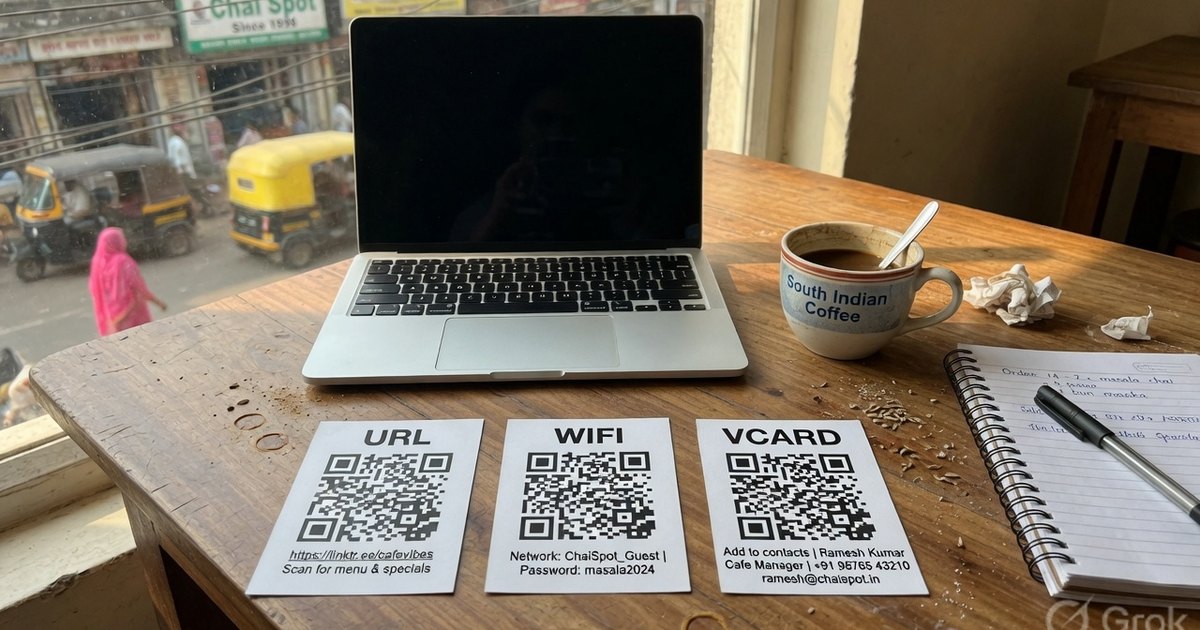
With dozens of UPI payment apps active in India—such as PhonePe, Google Pay (GPay), Paytm, BHIM, Mobikwik, and bank-specific mobile applications—displaying a separate QR code standee for each payment provider creates counter clutter and customer confusion.
The modern solution is a Universal UPI QR Code Generator. A single universal UPI QR code accepts payments from any UPI app, automatically routing the transaction directly into your linked bank account.
In this comprehensive guide, we explain how universal UPI QR codes work under the hood, how to connect your bank account VPA, how to use universal QR generator web apps on mobile, and how to create a high-resolution payment poster in under 30 seconds for free.
What is a Universal UPI QR Code Generator?
A universal UPI QR code generator is a software tool that formats payment credentials into a standardized UPI Unified Resource Identifier (URI) defined by the National Payments Corporation of India (NPCI).
Instead of generating proprietary deep links tied exclusively to PhonePe or Paytm, a universal generator creates an interoperable QR graphic encoding a standard URI parameter scheme:
upi://pay?pa=merchant@upi&pn=BusinessName&mc=0000&tid=cx123&tr=ref123&tn=Payment&am=500&cu=INRKey URI Parameters Explained:
pa(Payee Address / VPA): Your Virtual Payment Address (e.g.shopname@okaxisor9876543210@ybl). This is where the funds land.pn(Payee Name): The official business or account holder name displayed on the customer’s payment confirmation screen.am(Amount): Optional parameter for setting a fixed payment amount (e.g.500for ₹500).tn(Transaction Note): Optional note or invoice reference visible in transaction history.cu(Currency): Always set toINRfor Indian Rupee transactions.
When a customer scans this QR code using PhonePe, Google Pay, Paytm, or BHIM, their smartphone reads the upi:// protocol, opens their preferred payment app, and populates the payment field automatically.
Universal QR Code Generator for Bank Account Collections
One of the most frequent questions shop owners and freelancers ask is: Can I connect a universal QR code directly to my bank account without a merchant account?
The answer is yes. Every Indian bank account linked to a UPI registration possesses a Virtual Payment Address (VPA). By feeding your bank VPA into a universal UPI QR code generator, payments flow directly into your savings or current account via IMPS/UPI.
How to Find Your Bank VPA for QR Generation
| Bank / App | Default VPA Format | Where to Locate in Mobile App |
|---|---|---|
| SBI (YONO / BHIM SBI) | name@sbi or mobilenumber@sbi |
Profile → Manage UPI IDs → Primary VPA |
| HDFC Bank | name@hdfcbank or mobile@hdfcbank |
BHIM UPI Section → Profile → VPA Details |
| ICICI Bank (iMobile) | name@icici or mobile@mobile |
iMobile → BHIM UPI → Manage VPAs |
| Google Pay (GPay) | name@okaxis, name@okhdfcbank, name@oksbi |
Tap Profile Picture (Top Right) → Bank Account → Manage UPI IDs |
| PhonePe | name@ybl, name@axl, name@ibl |
Tap Profile → QR Codes / UPI IDs |
| Paytm | mobilenumber@paytm |
Profile Avatar → UPI & Payment Settings |
Once you retrieve your bank VPA, you do not need any further approval or API key to generate a universal payment QR.
How Universal UPI QR Code Generator Apps Work on Mobile
Many business owners search for a universal UPI QR code generator app on Google Play or the Apple App Store. However, installing native apps often comes with unwanted ads, permission requests, or hidden subscription charges.
Pro UPI QR operates as a progressive, browser-based universal web app:
- Zero Installation Required: Works directly in Chrome, Safari, Firefox, or Edge on any mobile device.
- Offline-Capable & Private: All QR code matrix calculations occur client-side in your mobile browser using JavaScript. Your bank VPA, customer names, and transaction amounts are never transmitted to external servers.
- Save to Home Screen: On Chrome or Safari, tap Share → Add to Home Screen to turn Pro UPI QR into a lightweight app on your phone’s home screen.
Step-by-Step: How to Generate a Free Universal UPI QR Code
Follow these four simple steps to create a printable payment poster:
Step 1: Access the Free Universal QR Generator
Open the Universal QR Code Generator or UPI Poster Generator on your device.
Step 2: Input Your Payment Credentials
- Payee Name: Enter the exact legal name or shop name registered with your bank account.
- UPI ID (VPA): Enter your primary VPA (e.g.
john@sbiorstore@okicici). - Amount (Optional): Leave blank for open-ended customer payments (e.g., retail checkouts), or enter a fixed figure for fixed-price bills or event passes.
- Note (Optional): Add a custom memo like “Invoice #104” or “Maintenance Fee”.
Step 3: Select Template & Branding Options
- Poster Template: Select from Shop Payment Standee, Restaurant Table QR, Temple Donation Poster, Tuition Fees Card, or Cab Dashboard Card.
- App Badges: Display PhonePe, Google Pay, Paytm, and BHIM logos along the border to reassure customers that their preferred app is accepted.
Step 4: Download and Test
- Click Download PNG or Download Poster to save the vector-quality image file.
- Verification Scan: Before printing, open PhonePe or Google Pay on a secondary mobile phone, scan your generated QR code, and verify that your payee name and bank details populate correctly. Send a test payment of ₹1 to confirm credit settlement.
Comparison: Universal QR vs. Proprietary Merchant App Standees
Why choose a universal QR generator over standard bank-issued or app-specific merchant standees?
| Feature | Pro UPI Universal QR | Single App Merchant Standee | Payment Gateway Dynamic QR |
|---|---|---|---|
| Supported Apps | All UPI Apps (PhonePe, GPay, Paytm, BHIM, Bank Apps) | Often branded for 1 app; supports others via small text | All UPI Apps |
| Setup Time | Instant (30 seconds, no signup) | 3–7 Days (KYC & physical standee delivery) | 1–3 Days (Merchant onboarding & API integration) |
| Transaction Fees (MDR) | 0% on P2P and P2M ≤ ₹2,000; 0.4% on some larger P2M from 15 Oct 2026 | Same NPCI schedule | 1.5% – 2.0% per transaction |
| Amount Locking | Supported (Static or Preset amount) | Not supported on physical standees | Supported dynamically |
| Design Customization | 100% Customizable (Colors, Logos, Templates) | Locked to brand colors | Fixed web modal |
| Data Privacy | 100% Private (Generated in-browser) | Merchant app logs location & sales history | Fully tracked by gateway |
NPCI Guidelines, Limits & Safety Best Practices
When displaying a universal UPI QR code for public payments, follow NPCI compliance and security practices:
1. Daily Transaction Limits
- Standard Personal UPI VPAs: capped at ₹1,00,000 (1 Lakh) per day across all transactions.
- Verified Merchant Accounts (P2M): limits extend up to ₹2,00,000 to ₹5,00,000 per day depending on merchant category codes (MCC) like healthcare, education, or retail.
2. QR Code Physical Security
- Sticker Swap Prevention: Fraudsters sometimes paste their own QR sticker over a shop owner’s physical standee. Always inspect your counter standee daily and ensure your payee name matches.
- Matte Lamination: Print your QR poster using matte paper or matte acrylic frame holders. Matte surfaces eliminate glossy glare from ceiling lights, guaranteeing high scan readability.
Frequently Asked Questions
Q1. Is a universal UPI QR code completely free to use?
Yes. Universal UPI QR codes created with Pro UPI QR use standard NPCI open-spec protocols. There are no registration fees or monthly subscriptions from this site. P2P and P2M of ₹2,000 or less stay at 0% MDR; other P2M above ₹2,000 may take 0.4% from 15 October 2026. RuPay credit card on UPI above ₹2,000 may carry interchange fees.
Q2. Do static universal UPI QR codes expire?
No. Static universal UPI QR codes encode your VPA directly into the image matrix. As long as your bank account and linked UPI VPA remain active with your bank, the printed QR code will function indefinitely without expiring.
Q3. Can I generate a universal UPI QR code for a bank account without GST?
Yes. You do not need a GSTIN or official business registration to generate a UPI QR code. You can use your personal savings bank account UPI ID (e.g. yourname@oksbi) to receive money from friends, clients, or customers.
Q4. Can customers pay using RuPay Credit Cards on a universal UPI QR?
Yes. NPCI allows customers to pay via RuPay Credit Cards linked to UPI on standard merchant VPAs. When the customer scans your universal QR code, their payment app presents RuPay Credit Card as a payment source alongside bank accounts.
Q5. Why is my generated universal QR code not scanning?
Scan issues are typically caused by low image resolution, extreme tilt, or light glare. Ensure you download the high-resolution PNG file from our tool, maintain a minimum printed size of 2 x 2 inches, and place the poster under direct, glare-free illumination.
Start Generating Your Universal QR Code Now
Ready to simplify your billing counter and accept payments from every UPI app?
Visit the Free Universal QR Code Generator to design your custom payment standee in seconds.
Kunal Siyag
Founder, Pro UPI QR
Founder of Pro UPI QR. Builds the generators and calculators, writes the merchant guides, and cites NPCI, RBI, and bank sources instead of inventing a research team.
Related Articles
UPI QR Code Generator for Bank Account Payments
Learn how to use a universal QR code generator for your bank account. Connect SBI, HDFC, ICICI or personal VPA and receive PhonePe, GPay & Paytm payments directly.
QR Code From Bank Account Number
You cannot encode IFSC and account number into a UPI QR. Find your VPA from SBI, HDFC, or ICICI, then generate a free QR that credits the linked bank account.
NPCI QR Code vs BHIM QR vs Bharat QR: What Is the Difference?
What an NPCI QR code is, how it differs from a BHIM QR and a bank-issued Bharat QR, and why NPCI has no official website that prints shop QR codes.
Related tools
Four siblings in this topic — the full inventory lives on the hub.
PhonePe QR Generator
Create a PhonePe QR from an @ybl, @ibl, or @axl UPI ID.
Google Pay QR Generator
Build a GPay-friendly standee customers can scan from any UPI app.
Paytm QR Generator
Generate a Paytm-compatible payment QR for shops and local businesses.
BHIM UPI QR Generator
Print a free NPCI-format BHIM UPI standee from your VPA.