
Money Deducted but Pending? How to Resolve UPI Transaction Issues
UPI pending after a debit: copy the 12-digit UTR, do not retry, use RBI T+1/T+5 auto-reversal, then escalate via app, bank, NPCI, and Ombudsman.
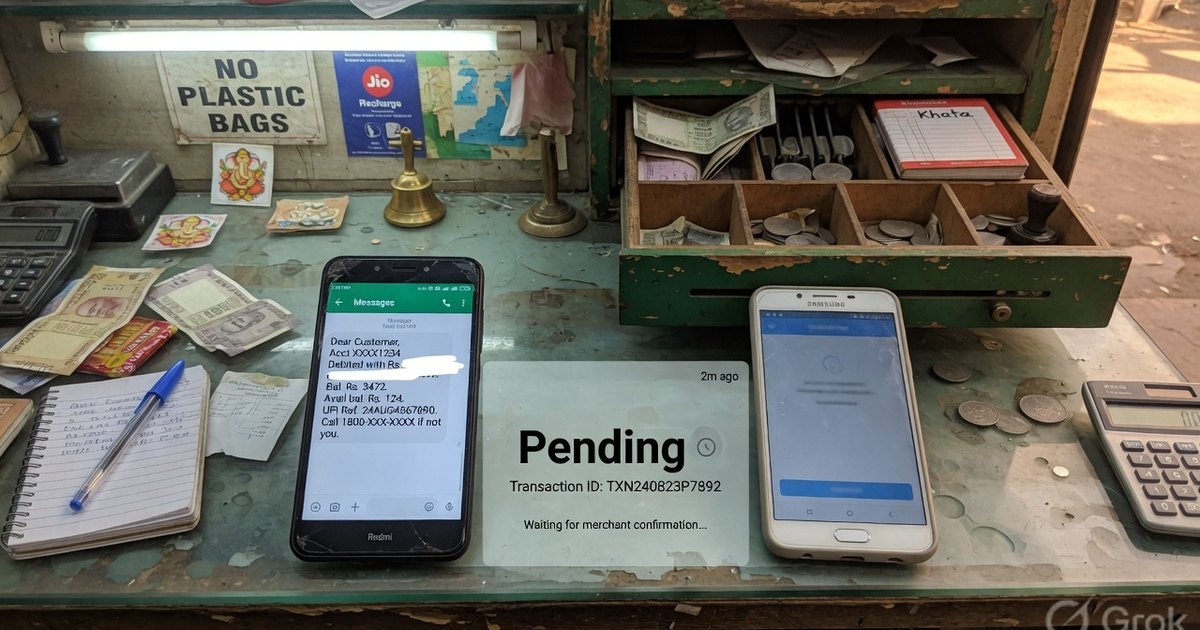
If the app says Pending or Processing, the bank SMS says debited, and the merchant has no credit, do not pay again. Copy the 12-digit UTR, wait for NPCI to finish the hop, and look up any reason code on the UPI error resolver. Most failed debits reverse on their own; a second payment for the same bill is how people lose money twice.
Last reviewed 27 August 2026.
Why UPI goes pending
One payment crosses the payer app, the payer’s bank, the NPCI switch, the payee’s PSP, and the payee’s bank. If any hop times out, the apps show Pending while the banks reconcile. That is a technical pending, not a successful payment.
“NPCI returned error” is a wrapper around a specific code (often U16). Search the exact letters.
Decision tree
- No debit SMS — the attempt failed. Fix the error code (PIN, balance, limit, VPA) and retry once.
- Debit SMS, merchant not paid — freeze. Save UTR. Do not retry. Wait for credit or auto-reversal.
- Debit SMS, merchant paid — success. The customer’s tile can lag. Match UTR to UTR.
- Green screenshot, no UTR, no merchant credit — treat as unpaid. Screenshot spoofing is why soundboxes exist.
Step 1 — Get the UTR
The Unique Transaction Reference is 12 digits (some apps say UPI transaction ID or RRN).
- Customer: open history → the attempt → copy UTR.
- Merchant: search that UTR in PhonePe Business / GPay Business / bank statement. If it is absent, the money did not land.
No UTR means you do not have a complaint yet.
Step 2 — RBI auto-reversal windows
From RBI circular DPSS.CO.PD No.629/02.01.014/2019-20 (20 September 2019):
| Case | Auto-reversal by | Compensation if late |
|---|---|---|
| UPI transfer: debited, beneficiary not credited | T+1 working day | ₹100 / day after T+1 |
| UPI merchant payment: debited, merchant never got confirmation | T+5 working days | ₹100 / day after T+5 |
| Successful pay to the wrong VPA | Not auto-reversed | Dispute immediately; needs beneficiary-bank process |
Many reversals land in minutes to a few hours. The circular is the outer bound, not a reason to wait five days before you raise an in-app ticket.
Source: RBI notification.
Step 3 — Escalate with the UTR
- In-app Raise issue / Check status (UDIR through the TPAP).
- Issuing-bank customer care with UTR, amount, time, both VPAs.
- NPCI UPI helpdesk 1800-120-1740.
- After 30 days (or a rejected reply): RBI Integrated Ombudsman.
Wrong-VPA success is a different path from a technical failure — banks cannot silently pull back a completed authorised credit without the beneficiary side.
Frequently asked questions
Q1. The merchant says they did not get the money but my app is green.
Ask for their ledger, not their opinion. Share the UTR. If they still have no credit, you are in the pending/failed-debit case — do not send a second payment until this UTR is Failed or reversed.
Q2. How long before I complain?
Raise in-app as soon as you have a UTR and a debit without credit. You do not have to wait for T+5 to file; T+5 is when compensation for delay starts on merchant payments.
Q3. Where do I look up U16, U30, Z9?
The NPCI UPI error code resolver — including bank vs NPCI vs app, and permalinks such as /upi-error-codes/#u16.
Kunal Siyag
Founder, Pro UPI QR
Founder of Pro UPI QR. Builds the generators and calculators, writes the merchant guides, and cites NPCI, RBI, and bank sources instead of inventing a research team.
Related Articles
P2M Meaning in Banking and UPI Payments
P2M is person-to-merchant UPI. P2P is person-to-person. Learn the difference, refund TAT, MDR, and when a shop should use a merchant VPA instead of a personal UPI ID.
UPI Transaction Limits: SBI, HDFC, ICICI, and Major Banks Compared
A comprehensive reference table detailing the daily transaction amount and frequency limits for UPI payments across major Indian banks.
UPI QR Code Not Scanning? 12 Fixes for Shop Owners
Troubleshoot blurry prints, glare, wrong VPA, app errors, and counter placement when customers cannot scan your UPI QR code.
Related tools
Four siblings in this topic — the full inventory lives on the hub.
UPI error code resolver
NPCI returned error? Look up U16, Z9, ZM and 40+ sourced codes.
Indian bank UPI limits
Daily caps for 30+ banks, last-reviewed with NPCI-facing sources.
UPI QR validator & decoder
Safety-check the VPA, amount, and tamper clues before you trust or reprint.
UPI MDR savings calculator
Compare gateway MDR with direct UPI. RuPay CC UPI is called out separately.