
How UPI Soundboxes Work: Technology, Safety, and Build Costs
How merchant UPI soundboxes announce payments, why they cannot read OTPs, and when a free phone alert is enough versus paid hardware.
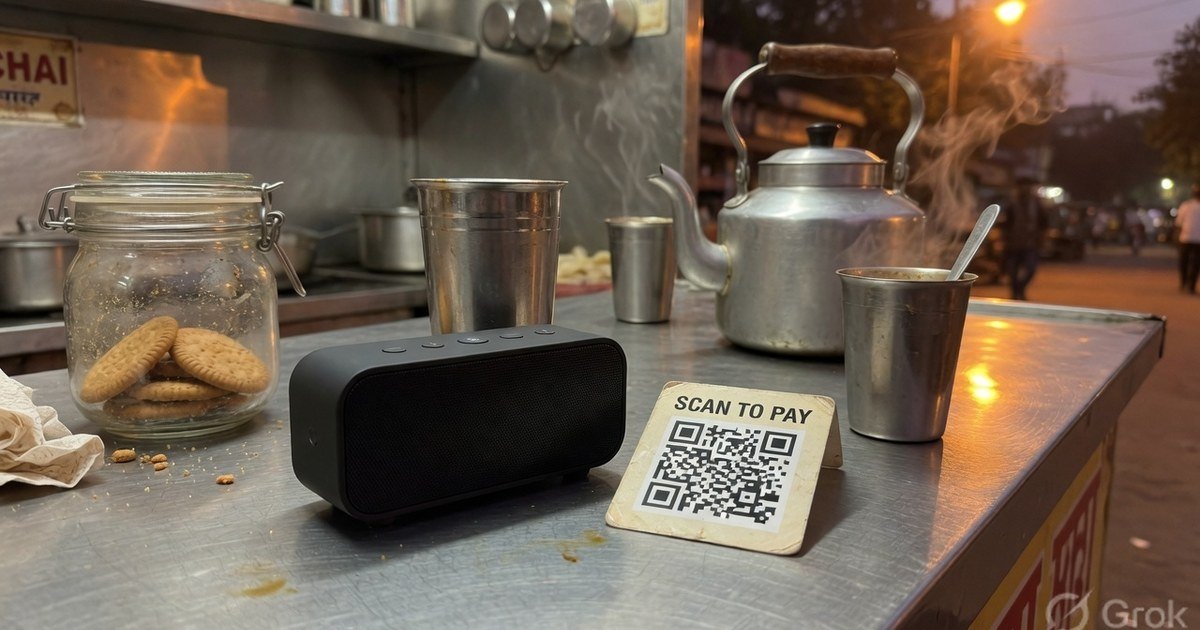
A UPI soundbox is a speaker with a SIM (or Wi-Fi) that plays “₹50 received” after the merchant’s payment provider sees a successful credit. It does not process the payment, does not talk to the customer’s phone, and cannot read OTPs. The QR on the counter is still what customers scan.
Last reviewed 27 August 2026. Hardware rents and “free box” schemes change by city — confirm in the merchant app.
How the announcement actually happens
The box is a thin client. The money never goes “into the speaker”.
- Scan. The customer scans your QR. The payload is a VPA such as
shop@ybl, not a hardware ID. - Bank transfer. The payer app, NPCI, and both banks move the funds.
- Provider trigger. PhonePe, Paytm, a bank, or a gateway sees the settlement (or a webhook) and sends a tiny encrypted command to that box ID: play the clip for this amount.
- Audio. The SIM/Wi-Fi path delivers the command. If data is down, payments can still succeed while the box stays quiet.
That last point matters: silence is not proof of failure, and a loud box is not proof if you paired the wrong VPA. Match UTR when it is busy.
Can it steal OTPs or spy on phones?
No. A genuine merchant soundbox is a one-way receiver:
- No microphone aimed at customers, no camera, no Bluetooth pairing with the payer’s phone.
- The customer’s UPI PIN never leaves their device.
- The packet to the box is status + amount, not the customer’s account.
- Stealing the physical box does not log anyone into the merchant bank account.
What it does stop is screenshot spoofing: a fake green success screen. If the box (or your bank SMS) has not confirmed the credit, do not hand over the goods. Related: is it safe to scan a UPI QR?
Buy a box, use the phone, or build one?
| Option | Cost shape | When it makes sense | Catch |
|---|---|---|---|
| Merchant-app voice on a phone | Free | Owner is always at the desk | Phone must stay there; battery; no loudspeaker for a crowded aisle |
| Provider soundbox (Paytm, PhonePe SmartSpeaker, bank) | One-time + monthly SIM/rental, scheme-dependent | Staff, noise, screenshot fraud | Tied to that provider’s merchant account; confirm today’s price in-app |
| DIY ESP32 box | Parts ~₹1,200–₹1,800 | Hobby / learning | Getting a reliable payment trigger is the hard part |
Published “₹99/month” figures go stale. Treat any blog rental as a historical range, not a quote. Paytm soundbox charges (qualify in-app). Free phone setup: voice announcements without hardware.
DIY notes (hobby, not a shop recommendation)
Hardware bill of materials is cheap. The missing piece is the cloud trigger.
| Part | Role | Typical INR |
|---|---|---|
| ESP32 / NodeMCU | Wi-Fi brain | 300–400 |
| SIM800L (optional) | Cellular | 400–500 |
| DFPlayer Mini + speaker | Audio | 250–350 |
| Battery + box | Power / enclosure | 300–500 |
| Parts total | ~1,250–1,750 |
Path A — notification listener (free, fragile). An Android app reads the official bank/UPI notification and forwards the amount to the ESP32. The phone must stay on, online, and nearby. This is not a production controls environment.
Path B — official webhook. A registered business account on a gateway that offers webhooks. Your server receives payment success and tells the box to speak. This is real engineering, not a weekend toy.
For a working counter, subsidised commercial boxes are usually cheaper than building a reliable one. Buy only from the bank or PSP programme — grey-market boxes that demand notification access are a security smell. RBI merchant QR display notes.
Frequently asked questions
Q1. Does a soundbox replace the printed QR?
No. Customers still scan the QR. The box only announces. If the SIM dies, keep collecting on the standee and confirm in the app.
Q2. Can I pair any QR with any brand’s box?
Usually not. Official boxes are bound to that provider’s merchant ID. A compatible UPI print from this site will still collect money; it will not magically drive a PhonePe or Paytm speaker unless that provider mapped the VPA.
Q3. Is a soundbox required by RBI or NPCI?
No. It is a convenience and an anti-spoof tool. A tested standee is enough to accept UPI.
Kunal Siyag
Founder, Pro UPI QR
Founder of Pro UPI QR. Builds the generators and calculators, writes the merchant guides, and cites NPCI, RBI, and bank sources instead of inventing a research team.
Related Articles
Paytm Business QR & Soundbox: Setup and Monthly Charges Explained
Paytm Business QR setup plus Soundbox rental ranges. Confirm current fees in the app — published rents change by city and scheme.
Understanding UPI VPA: Personal vs. Merchant Accounts Explained
A complete guide explaining what a Virtual Payment Address (VPA) is, how UPI IDs work, and the differences between personal and merchant UPI accounts.
Extract UPI ID From a QR Code Online
Upload a UPI QR to extract the VPA, payee name, and amount in your browser. Decode PhonePe, GPay, Paytm, or BHIM codes without sending the image to a server.
Related tools
Four siblings in this topic — the full inventory lives on the hub.
PhonePe vs Paytm vs GPay
Interoperability, soundboxes, dashboards, and what actually differs.
PhonePe-compatible QR
Print a PhonePe-styled standee for any VPA.
Google Pay-compatible QR
GPay-friendly poster customers can scan from any UPI app.
Paytm-compatible QR
Paytm-styled counter QR for shops and local businesses.