
How Merchants Can Prevent UPI QR Code Tampering and Fraud
Critical security steps for physical shop owners to protect their payment QR standees from tampering and unauthorized replacements.
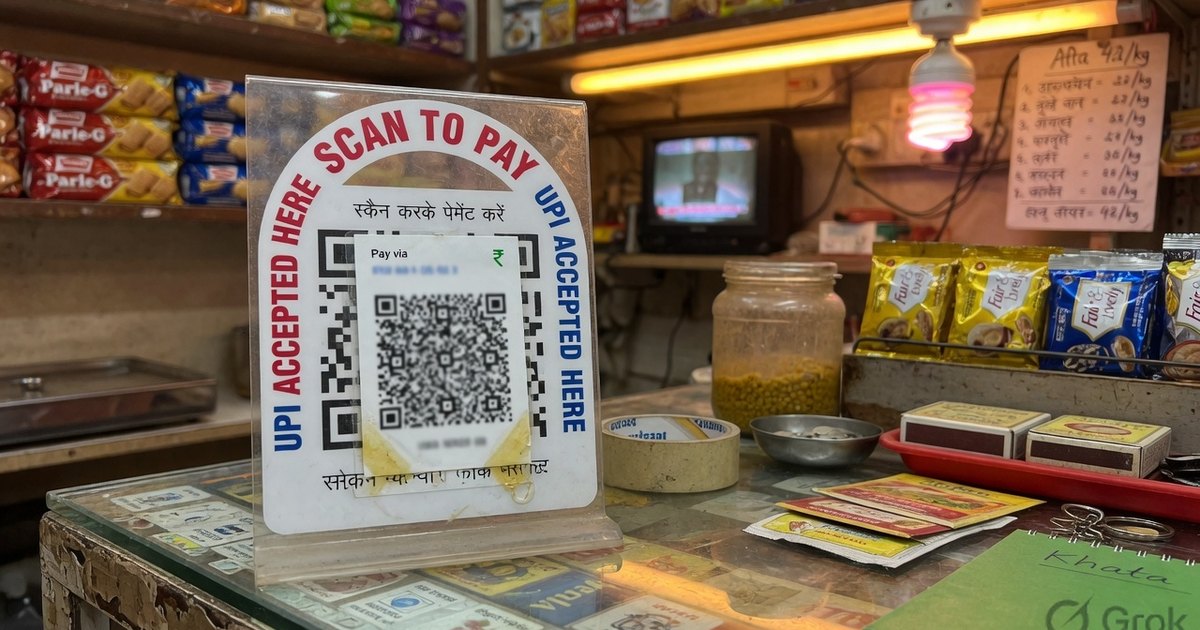
For retail merchants, the payment counter is the lifeline of the business. However, physical payment standees are vulnerable to a simple yet devastating fraud: QR Code Tampering.
Fraudsters visit busy shops, slip a sticker of their own QR code over the merchant’s QR standee, and leave. The merchant continues to package goods while the customer’s payments go directly to the criminal’s account.
Here is how you can secure your billing counter against this fraud.
1. Daily Inspection Protocol
Before opening your store, make it a habit to physically inspect your QR standees. Run your finger over the QR surface to check if a secondary sticker has been pasted over the original print.
2. Use Sturdy, Non-Sticker Standees
Instead of using thin adhesive paper stickers pasted on cardboard:
- Use Acrylic Standees where the card is inserted inside a sealed plastic holder.
- Print your QR code directly onto Sunboard or Metal plates. It is extremely difficult for a fraudster to replace a metal plate or slide a card out of an acrylic container without drawing attention.
3. Enable Audio Alerts (Soundboxes)
A voice alert system is the single best defense against QR tampering. Even if a fraudster successfully swaps your QR code:
- When customers scan the fake QR, your store’s Soundbox will remain silent because the payment went to the hacker’s bank account.
- The lack of a voice announcement immediately alerts your cashier that the transaction did not reach your account.
4. Display the Bank Verified Name
Add a small text instruction above your QR standee:
“Please verify that the name displayed on your GPay screen is [Your Official Shop Name] before entering your PIN.”
This encourages customers to double-check the recipient name, adding an extra layer of verification.
Kunal Siyag
Founder, Pro UPI QR
Founder of Pro UPI QR. Builds the generators and calculators, writes the merchant guides, and cites NPCI, RBI, and bank sources instead of inventing a research team.
Related Articles
Is it Safe to Scan UPI QR Codes? How to Avoid Scams
Essential security guidelines for consumers and merchants to prevent falling victim to UPI QR code skimming and payment frauds.
Extract UPI ID From a QR Code Online
Upload a UPI QR to extract the VPA, payee name, and amount in your browser. Decode PhonePe, GPay, Paytm, or BHIM codes without sending the image to a server.
How to Verify a UPI QR Code Before Displaying at Your Shop
A 5-minute merchant checklist to confirm your UPI QR payee name, VPA, and print quality before customers start paying.
Related tools
Four siblings in this topic — the full inventory lives on the hub.
UPI error code resolver
NPCI returned error? Look up U16, Z9, ZM and 40+ sourced codes.
Indian bank UPI limits
Daily caps for 30+ banks, last-reviewed with NPCI-facing sources.
UPI QR validator & decoder
Safety-check the VPA, amount, and tamper clues before you trust or reprint.
UPI MDR calculator (Oct 2026)
0.4% P2M above ₹2,000, small-merchant exemption, GST on MDR.