
How to Verify a UPI QR Code Before Displaying at Your Shop
A 5-minute merchant checklist to confirm your UPI QR payee name, VPA, and print quality before customers start paying.
Displaying the wrong QR — or a tampered one — means lost revenue and angry customers. Banks and NPCI recommend merchants verify payment credentials before every standee goes live.
Run this checklist once per QR print, and again monthly on physical counters.
Checklist 1: Digital Verification (Before Printing)
- Match payee name: The name in your generator must match the bank-verified name shown in GPay/PhonePe when someone pays you.
- Confirm VPA spelling: One wrong character in
pa=yourshop@okaxisroutes money elsewhere. - Scan the digital preview: Use a second phone to scan the on-screen QR before downloading.
- Optional ₹1 test: Send ₹1 from a family member’s UPI app and confirm it hits your bank statement.
Generate and preview on the Pro UPI QR Generator.
Checklist 2: Physical Verification (After Printing)
- Scan the printed card, not just the screen file.
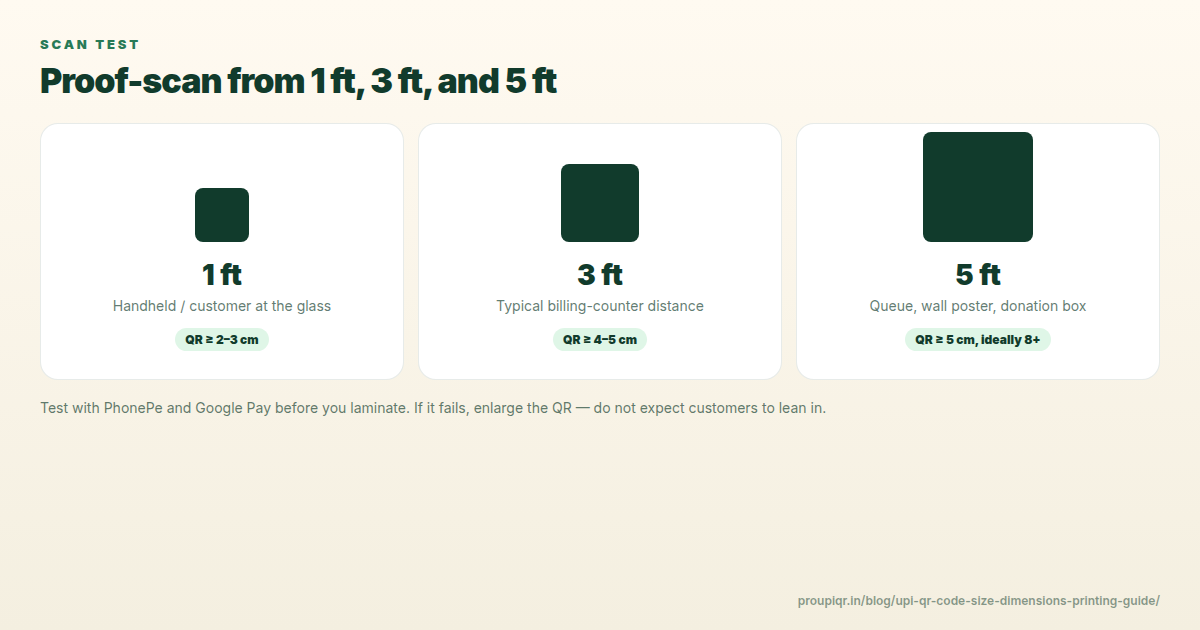
- Check payee name at 1 meter and 2 meters — lighting at the counter matters.
- Inspect for sticker tampering — scratch tests on corners to detect overlay fraud.
- Sign or mark the back of acrylic holders so replacements are obvious.
Read prevent UPI QR tampering and frauds.
Checklist 3: Staff Handover
- Tell staff the correct payee name customers should see.
- If name shows a personal name instead of shop name, consider upgrading to a merchant VPA.
- Never ask customers to scan a QR to receive refunds — that is a scam pattern. See is it safe to scan UPI QR.
Red Flags — Do Not Display
| Red flag | Action |
|---|---|
| Payee name mismatch | Regenerate QR with correct VPA from bank app |
| QR scans to a website, not UPI app | Remove immediately — possible phishing |
| Unknown sticker over your QR | Peel, replace, report if needed |
| Blurry or faded print | Reprint at 300 DPI matte |
After You Change Bank or UPI ID
Destroy old standees and follow how to change UPI ID on printed QR standee.
Generate and verify your UPI QR →
Related: UPI QR size for printing · PhonePe business setup
Kunal Siyag
Founder, Pro UPI QR
Founder of Pro UPI QR. Builds the generators and calculators, writes the merchant guides, and cites NPCI, RBI, and bank sources instead of inventing a research team.
Related Articles
Extract UPI ID From a QR Code Online
Upload a UPI QR to extract the VPA, payee name, and amount in your browser. Decode PhonePe, GPay, Paytm, or BHIM codes without sending the image to a server.
How Merchants Can Prevent UPI QR Code Tampering and Fraud
Critical security steps for physical shop owners to protect their payment QR standees from tampering and unauthorized replacements.
How UPI Soundboxes Work: Technology, Safety, and Build Costs
How merchant UPI soundboxes announce payments, why they cannot read OTPs, and when a free phone alert is enough versus paid hardware.
Related tools
Four siblings in this topic — the full inventory lives on the hub.
UPI error code resolver
NPCI returned error? Look up U16, Z9, ZM and 40+ sourced codes.
Indian bank UPI limits
Daily caps for 30+ banks, last-reviewed with NPCI-facing sources.
UPI QR validator & decoder
Safety-check the VPA, amount, and tamper clues before you trust or reprint.
UPI MDR savings calculator
Compare gateway MDR with direct UPI. RuPay CC UPI is called out separately.