
Static vs Dynamic UPI QR Code: What's the Difference?
Understand static and dynamic UPI QR codes, when to use each for shops and billing, and how pre-filled amount QRs reduce payment errors.
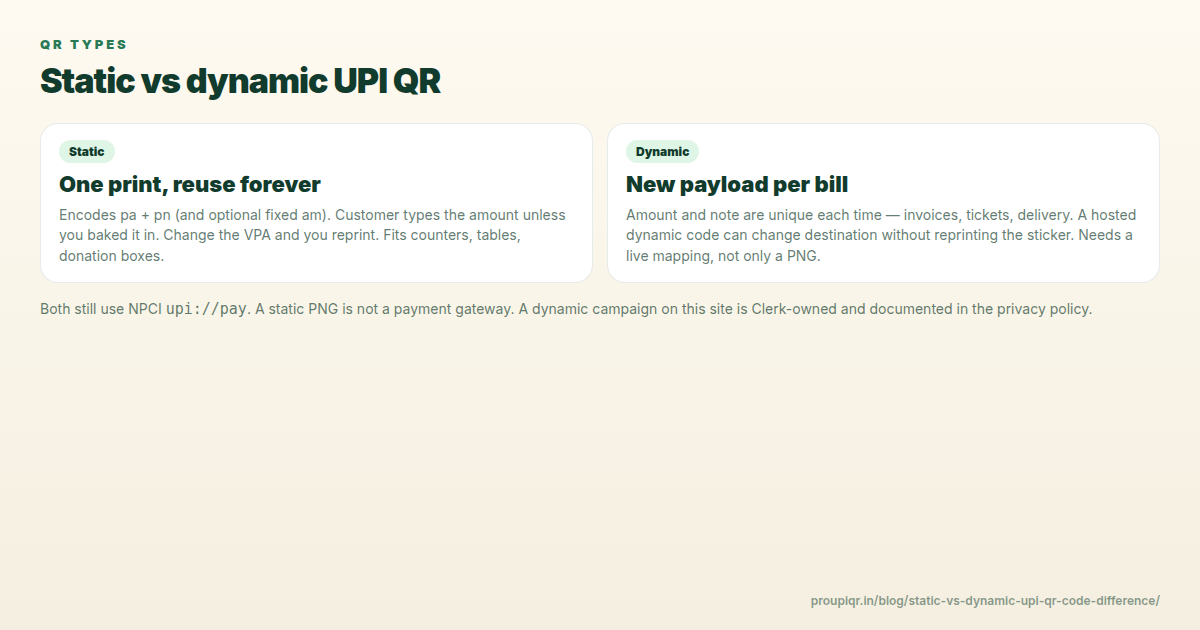
Shop owners, freelancers, and online developers often hear the terms “static QR code” and “dynamic QR code” when setting up UPI payment collections. While both formats utilize the same National Payments Corporation of India (NPCI) upi://pay protocol standard, they behave very differently at checkout and serve different business requirements.
In this guide, we will explain the differences between static and dynamic UPI QR codes in plain language, compare their specifications side-by-side, and help you choose the right format for your specific workflow.
What Is a Static UPI QR Code?
A static UPI QR code is a permanent, reusable QR code that encodes only your basic payment address details—namely, your Virtual Payment Address (VPA) or UPI ID, and your official display name.
When a customer scans a static QR code:
- The payment app (like Google Pay, PhonePe, or Paytm) reads the recipient VPA and payee name.
- The customer is presented with an open input screen.
- The customer must manually type in the payment amount (e.g. ₹250) and tap pay.
- Optionally, the customer can type in a note or description.
Technical Payload Example:
upi://pay?pa=shopname@okaxis&pn=Shop%20Name&cu=INR
Best Used For: Retail counter standees, physical street vendors, donation boxes, tip jars, and small services (like salons or tailor shops) where the total bill varies for every single transaction.
What Is a Dynamic UPI QR Code?
A dynamic UPI QR code builds upon the static structure by embedding a preset transaction amount and, in many cases, a unique transaction reference note directly into the QR data.
When a customer scans a dynamic QR code:
- The payment app reads the VPA, name, amount, and note parameters.
- The app pre-fills the payment amount and locks the field (preventing editing).
- The customer simply reviews the pre-filled payment screen and enters their UPI PIN.
Technical Payload Example:
upi://pay?pa=shopname@okaxis&pn=Shop%20Name&am=499&cu=INR&tn=Order%20142
Best Used For: E-commerce checkouts, event ticket booking, monthly subscription collections, PDF invoice templates, and delivery-rider collections where each transaction requires a specific, exact payment.
Side-by-Side Comparison
Selecting the right QR structure depends heavily on your transaction frequency, billing complexity, and reconciliation needs.
| Feature / Factor | Static UPI QR Code | Dynamic UPI QR Code |
|---|---|---|
| Amount Field | Left empty (client enters manually) | Pre-defined and locked |
| Transaction Note | Optional / Open field | Custom coded (e.g., Order ID, Client VPA) |
| Payment Reconciliation | Difficult (matching random amounts to buyers) | Easy (amount + unique note defines the order) |
| Printing Longevity | Print once, use forever | Often printed per invoice or shown on screen |
| Error Rate | Higher (due to human typing mistakes) | 0% (Exact requested amount is processed) |
| Setup Cost | 100% Free | 100% Free (unless using API integrations) |
Which Format Should Your Business Use?
Scenario A: Physical Retail & Grocery Stores
If you run a local retail shop where customers purchase a basket of goods with random prices, a static QR counter standee is the most cost-effective solution. The customer does the work of inputting the final bill amount on their phone, saving you from needing a screen at the desk.
Scenario B: E-Commerce Checkouts & SaaS Websites
If you sell digital products or subscriptions online, you should use dynamic QR codes. When the customer chooses UPI, your server generates a QR code pre-filled with the exact cart total and the Order ID in the note field. This allows your backend to automatically verify payments in real-time.
Scenario C: Freelancers & Consultants
If you invoice clients for specific projects (e.g., “Logo Design - ₹15,000”), generate a dynamic UPI QR code with that amount locked. Include it at the bottom of your PDF invoice. This ensures the client does not make a transposition mistake when transferring the payment.
Frequently Asked Questions
Q1. Do I need an internet connection to generate static or dynamic UPI QRs?
You need an internet connection to access our generator tool. However, once the QR code image (PNG or PDF) is downloaded or printed, it requires absolutely no internet connection on your end. The payment data is stored entirely within the static visual blocks of the QR code itself. The customer’s scanning phone is the only device that requires internet access.
Q2. Can a customer edit the amount on a dynamic UPI QR code?
On standard payment apps conforming strictly to NPCI regulations (GPay, Paytm, BHIM, PhonePe), the amount field is locked and cannot be edited by the consumer if the VPA is a merchant account. However, on some personal P2P bank accounts, a client might technically be able to clear the amount and change it.
Q3. Can static QR codes be hacked or tampered with?
While the code itself cannot be “hacked,” fraudsters can print a different QR code sticker (pointing to their own bank account) and paste it over your physical counter standee. Always inspect your counter QR standee regularly, and check that the payee name matches your business account when testing.
Generate Your QR Code
Ready to set up your payment counter or digital invoice? Use our free UPI QR Code Generator to create styled, high-resolution static or dynamic QR posters in under a minute.
Kunal Siyag
Founder, Pro UPI QR
Founder of Pro UPI QR. Builds the generators and calculators, writes the merchant guides, and cites NPCI, RBI, and bank sources instead of inventing a research team.
Related Articles
How to Generate a UPI QR Code with a Pre-Filled Amount
Learn how to build dynamic UPI QR codes containing preset payment amounts and notes, ideal for digital billing, tickets, and checkout counters.
Extract UPI ID From a QR Code Online
Upload a UPI QR to extract the VPA, payee name, and amount in your browser. Decode PhonePe, GPay, Paytm, or BHIM codes without sending the image to a server.
How to Change UPI ID on a Printed QR Standee (Bank Switch Guide)
Switched banks or got a new VPA? Learn how to retire old UPI QR standees, regenerate codes, and avoid payments going to the wrong account.
Related tools
Four siblings in this topic — the full inventory lives on the hub.
PhonePe QR Generator
Create a PhonePe-compatible UPI QR with optional amount and note.
Google Pay QR Generator
Build a GPay-friendly standee customers can scan from any UPI app.
Paytm QR Generator
Generate a Paytm-compatible payment QR for shops and local businesses.
BHIM UPI QR Generator
Generate standard BHIM UPI QR codes for instant direct bank payments.