
Collect Donations via UPI QR for Temples & NGOs
A comprehensive guide on setting up a secure, commission-free UPI QR code for religious institutions, charities, and community fundraising campaigns.
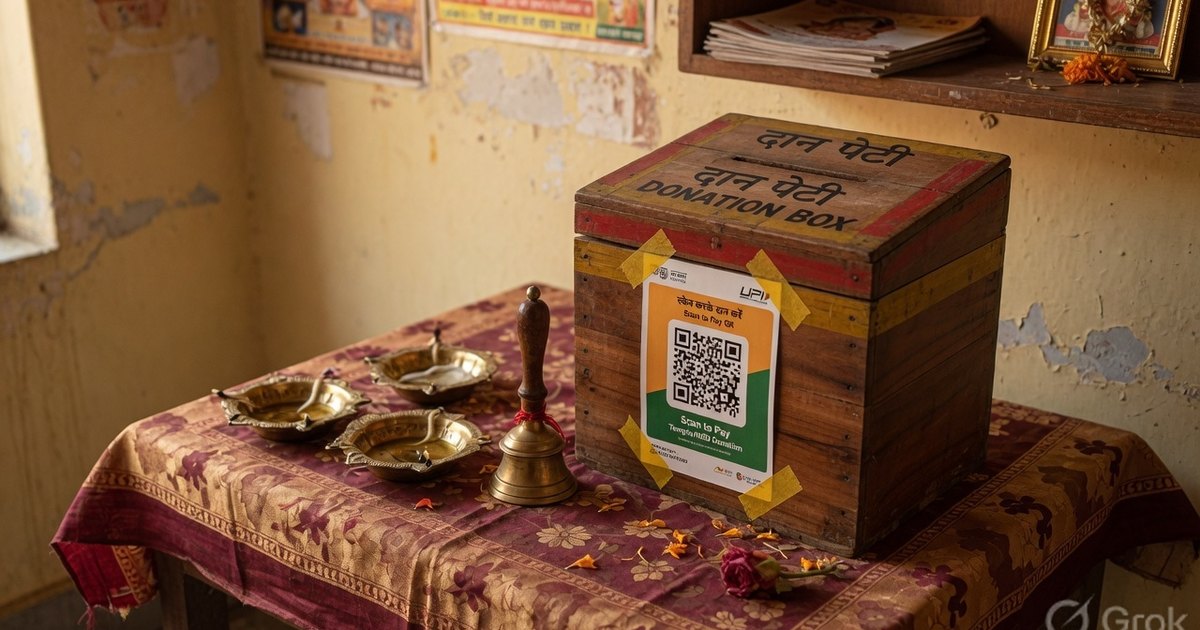
For non-profit organizations, temple trusts, and community organizers, collecting donations efficiently and transparently is critical. Traditionally, donations were collected via cash boxes or bank transfers requiring complex account numbers and IFSC codes.
Today, Unified Payments Interface (UPI) has changed the landscape. With a simple scan, donors can transfer funds instantly from their bank account to yours. Best of all, standard UPI-to-UPI transactions are completely commission-free, ensuring 100% of the donation goes directly to your cause.
In this guide, we will cover how to set up, print, and securely display a UPI QR code for donation collection.
The Benefits of UPI for Charitable Donations
Using UPI for fundraising offers several advantages over cash and credit cards:
- Zero Platform Fees: Standard payment gateways charge a transaction fee of 2% to 3%. UPI transactions to a direct bank VPA have 0% transaction fees.
- Instant Settlement: Funds are credited directly to your bank account in real-time, rather than being held by a third-party gateway for 2–3 days.
- Frictionless Donating: Donors don’t need to carry cash or type long bank account numbers. They scan, enter the amount, and pay in 5 seconds.
- Improved Transparency: Donors see the official name of the trust or charity on their screens before confirming the payment, building trust.
Step 1: Set Up a Trust or Business Bank Account
For legal, regulatory, and tax compliance:
- Do not use a personal UPI ID for public donations.
- Set up a dedicated current/savings account in the name of the Temple Trust, NGO, or Organization.
- Contact your bank to request a Merchant UPI ID (VPA). This will look like
templetrust@sbiorngohelp@icici. - Having a merchant VPA ensures you can receive large volumes of transactions without hitting personal daily transaction limits (which are usually capped at ₹1 Lakh per day for personal accounts).
Step 2: How to Make a QR Code for Donations
If you are wondering how to make a QR code for donations for your NGO, temple trust, or community cause, the process is simple, free, and doesn’t require any coding skills. Here is how to create a donation QR code step-by-step:
- Go to the Donation QR Generator.
- Enter the registered name of the trust/organization in the Payee Name field.
- Enter your official organization UPI ID / VPA.
- Choose the Temple Donation Poster template from the design deck. This template is designed with a prominent header, a clean white card for the QR, and space for transaction details.
- Click Download PNG to fetch the print-ready file.
Step 3: Print and Place the Poster Effectively
Where you position the QR code card makes a major difference in collection rates:
- Donation Desks and Counters: Place an A5 (5“ x 7“) or A4 (8“ x 11“) standee on a sturdy acrylic stand at reception counters, registration tables, or next to cash collection boxes.
- Banners and Notice Boards: If you are running an event, embed the QR code on a larger welcome banner or notice board. Ensure the QR code itself is at least 6 inches wide so it can be scanned easily from 4–6 feet away.
- Digital Sharing: Share the generated card directly in newsletter updates, WhatsApp groups, or on your organization’s website.
Step 4: Add Donator Verification Instructions
To prevent confusion and ensure bookkeeping is clean, display a small instruction note next to the QR code standee:
“Please mention your Name and Purpose in the UPI payment note/remarks field before sending. Send a screenshot of the confirmation to our WhatsApp number (+91 XXXXX XXXXX) if you require a formal donation receipt.”
This is particularly useful if your NGO provides tax exemptions under Section 80G, as you will need the donor’s PAN and address details to issue tax certificates.
Summary Checklists for Donation QR Codes
- Verify the Payee Name: Scan the QR code using Google Pay, PhonePe, and Paytm. Check that the verified merchant name matches your trust/NGO name exactly.
- Test the Limits: Verify with your bank if there are monthly inbound caps on your merchant account.
- Maintain Security: Keep your UPI PIN safe. Remember: You never need to enter your UPI PIN to receive money.
By utilizing free UPI tools, your trust or NGO can redirect payment gateway fees back to where they are needed most—your cause.
Frequently Asked Questions
Q1. How do I make a QR code for donations for free?
You can create a free donation QR code using the Pro UPI QR Donation Builder. Enter your trust/NGO’s registered name and merchant UPI ID, choose the Temple Donation Poster template, and download the high-resolution image to print or share. There are zero transaction fees or platform commissions.
Q2. Can I use a personal UPI ID for donation collection?
It is highly recommended to use a registered Merchant UPI ID (linked to a dedicated bank account in the trust’s name) rather than a personal UPI ID. Personal UPI accounts have lower daily transaction limits (typically ₹1 Lakh per day) and could cause compliance issues with tax authorities (e.g., Section 80G requirements).
Q3. Do these donation QR codes expire?
No, static UPI QR codes generated by our tool never expire. Since the payment address (VPA) is encoded directly into the QR image itself, the QR code remains permanent and functional indefinitely as long as your underlying bank account and UPI VPA are active.
Build a custom Donation QR card for free on Pro UPI QR →
Related guides: How to print a UPI standee · Prevent QR tampering & fraud · Collect event registration fees via UPI
Kunal Siyag
Founder, Pro UPI QR
Founder of Pro UPI QR. Builds the generators and calculators, writes the merchant guides, and cites NPCI, RBI, and bank sources instead of inventing a research team.