How to Print Free UPI QR Code Sticker Sheets on A4 Paper (Step-by-Step Guide)
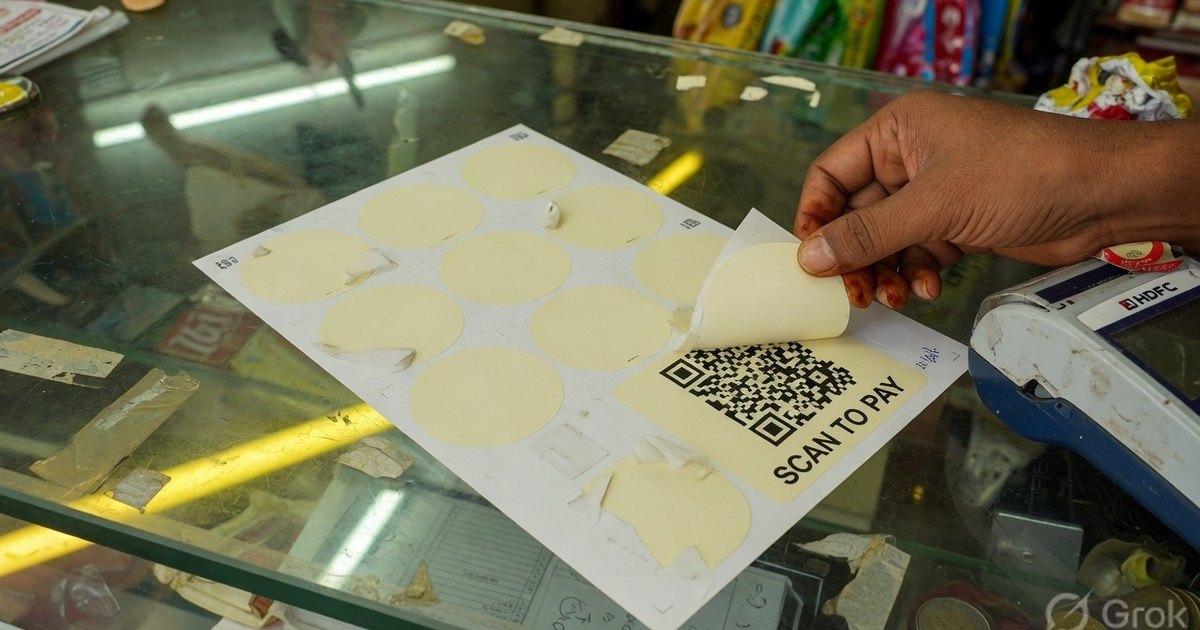
Learn how to generate and print 4, 6, or 12 high-resolution UPI QR stickers on a single A4 page for shop counters, billing machines, packaging boxes, and restaurant tables.
Introduction: Why One QR Poster Isn’t Enough for Busy Counters
If you run a Kirana store, bakery, restaurant, or retail shop in India, relying on a single printed QR standee at the main cash register often causes customer bottlenecks. During peak hours, customers waiting to pay have to crowd around the single standee.
By printing multi-sticker QR sheets, shop owners can place scan-to-pay QR codes across multiple high-traffic touchpoints:
- Billing Machines & POS Hardware: Directly beside the receipt printer.
- Takeaway Packaging & Boxes: For instant Pay-on-Delivery (COD replacement).
- Glass Storefront Doors: So customers can scan and pay even when stepping outside.
- Dining Tables & Counters: For self-checkout in food courts and cafes.
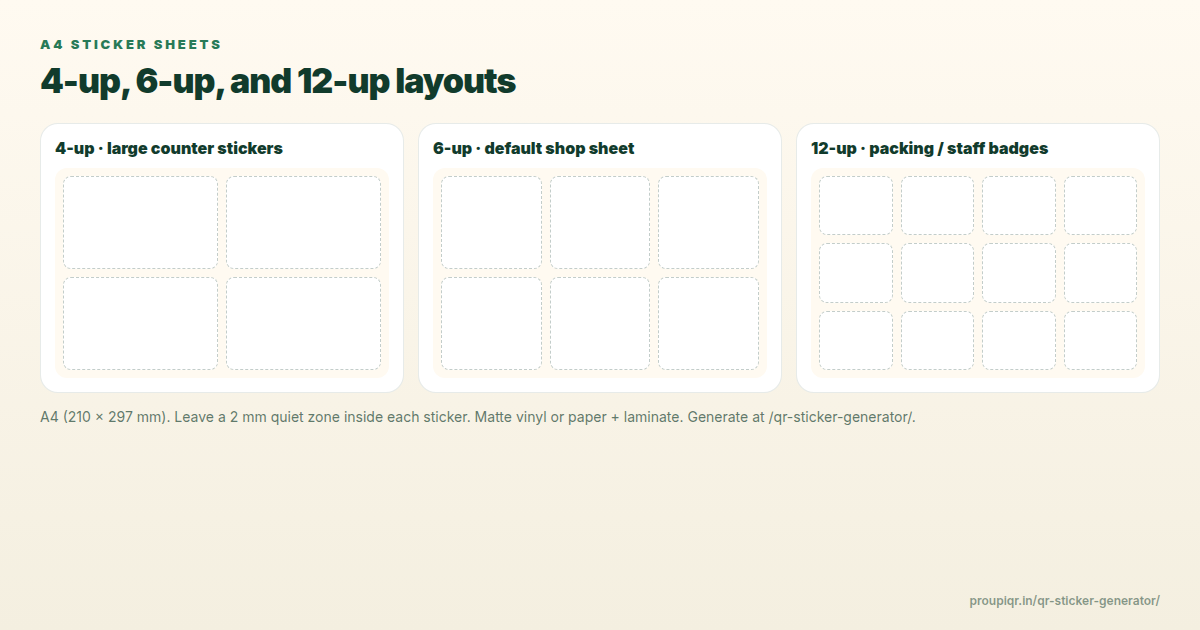
In this guide, we will walk you through generating custom A4 sticker sheets containing 4, 6, or 12 high-resolution UPI QR stickers completely free of charge.
Step-by-Step Guide to Generate A4 UPI QR Sticker Sheets
Follow these simple steps using our free online tool:
- Open the Sticker Generator: Navigate to the A4 UPI QR Code Sticker Sheet Generator.
- Enter Merchant Details:
- Payee / Merchant Name: Type the exact store name registered with your bank (e.g. Shree Ganesh Retail).
- UPI ID (VPA): Enter your Virtual Payment Address (e.g.
shop@oksbiormerchant@ybl).
- Set Optional Amount & Notes:
- If you are printing stickers for fixed-price items or maintenance fees, enter a fixed amount (e.g., ₹150). Leave blank for open payment entry.
- Select Sticker Layout Grid:
- 6 Stickers per A4: Ideal 85mm x 85mm counter size (2x3 grid).
- 4 Stickers per A4: Larger 95mm x 95mm desk standee size (2x2 grid).
- 12 Stickers per A4: Compact 60mm x 60mm tags for parcel boxes (3x4 grid).
- Choose Brand Header Theme: Select between PhonePe purple, Google Pay blue/red/green, Paytm blue, BHIM, or clean neutral styles.
- Print or Export PDF: Click Print A4 Sheet for direct printing or Download A4 PDF for high-res saving.
Sticker Specifications & Layout Comparison
| Grid Layout | Sticker Dimensions | Best Use Case | Recommended Paper Type |
|---|---|---|---|
| 6 Stickers / A4 | 85mm x 85mm | Retail counters, bakery desks | Glossy Self-Adhesive Vinyl (135 GSM) |
| 4 Stickers / A4 | 95mm x 95mm | Acrylic standees, outdoor signs | Heavy Matte Photo Sticker Paper (180 GSM) |
| 12 Stickers / A4 | 60mm x 60mm | Delivery parcels, receipt backs | Standard Matte Label Sheet |
Pro Tips for Long-Lasting & Waterproof QR Stickers
To ensure your printed UPI QR stickers remain readable and durable against daily wear and tear:
- Use Vinyl Sticker Paper: Inkjet vinyl sticker paper resists water splashes and oil stains from kitchen environments.
- Add Clear Tape Overlays: If printing on regular A4 paper, apply a strip of clear packing tape over the QR code after pasting to make it 100% waterproof and smudge-proof.
- Maintain High Contrast: Always print dark QR codes on light backgrounds. Avoid dark background colors behind the QR square itself, as camera sensors require crisp contrast to decode data under fluorescent store lighting.
- Test Before Pasting: Scan the printed sticker with at least two different apps (e.g. PhonePe and Google Pay) before sticking it onto your counter.
Frequently Asked Questions (FAQs)
Q. Are these UPI QR stickers compatible with all payment apps?
Yes. All stickers generated on Pro UPI QR conform to official NPCI upi://pay URI specifications, making them 100% compatible with Google Pay, PhonePe, Paytm, BHIM, Cred, and mobile banking apps.
Q. Can I print different amounts on different stickers?
Yes. You can generate one sheet with custom amounts (e.g., ₹100, ₹200, ₹500) by adjusting the amount field before exporting each sheet layout.
Q. Is there any commission or license fee?
No. Pro UPI QR is completely free and open-access. Payments flow directly from the customer’s bank account into your bank account over the NPCI network with zero gateway fees.
Summary & Next Steps
Printing your own UPI QR sticker sheets saves money on expensive third-party merchant kits while giving you complete control over branding and placement.
Get started now by creating your custom sheet on the Free A4 Sticker Sheet Generator.
Pro UPI QR Team
Payment technology research team building privacy-first UPI utilities, merchant tools, and printable standees for Indian business owners.
Related Articles
Other UPI QR Generators
Purpose-built tools for every major payment app.
PhonePe QR Generator
Create a PhonePe-compatible UPI QR with optional amount and note.
Google Pay QR Generator
Build a GPay-friendly standee customers can scan from any UPI app.
Paytm QR Generator
Generate a Paytm-compatible payment QR for shops and local businesses.
Donation QR Generator
Set up a commission-free donation poster for temples, NGOs, and causes.
BHIM UPI QR Generator
Generate standard BHIM UPI QR codes for instant direct bank payments.
WhatsApp Pay QR Generator
Create a WhatsApp Pay compatible UPI QR code for direct chat-to-bank payments.
Amazon Pay QR Generator
Build Amazon Pay compatible UPI QR code standees and bill posters.
SBI UPI QR Generator
Generate State Bank of India (SBI) UPI QR codes for retail checkouts.
HDFC Bank UPI QR Generator
Create HDFC Bank compatible UPI payment posters for invoicing.
ICICI Bank UPI QR Generator
Generate ICICI Bank compatible UPI billing QR codes.
Axis Bank UPI QR Generator
Create Axis Bank compatible UPI payment posters and counter standees.
Kotak Bank UPI QR Generator
Generate Kotak Mahindra Bank compatible UPI payment QR codes.
PNB UPI QR Generator
Create Punjab National Bank compatible UPI collection QRs for business.
Canara Bank UPI QR Generator
Generate Canara Bank compatible payment QR codes for local stores.
Bank of Baroda QR Generator
Build Bank of Baroda UPI payment posters and standee cards.
IndusInd Bank QR Generator
Create IndusInd Bank compatible UPI payment QR codes.
Union Bank UPI QR Generator
Generate Union Bank of India UPI billing and collection QR codes.
Kirana Shop UPI QR Generator
Generate counter-ready UPI QR posters for grocery stores and local shops.
Taxi & Auto UPI QR Generator
Create scan-to-pay payment posters for cab drivers, auto rickshaws & transit.
Freelance Payment QR Generator
Generate zero-fee payment QRs for client invoices and remote work billing.
Restaurant & Cafe QR Generator
Build table tent payment QRs for cafes, restaurants, and cloud kitchens.
IDFC FIRST Bank QR Generator
Create IDFC FIRST Bank compatible UPI payment posters and QR cards.
IDBI Bank UPI QR Generator
Generate IDBI Bank compatible UPI payment collection QRs.
Yes Bank UPI QR Generator
Create Yes Bank compatible payment QR posters for merchants.
RBL Bank UPI QR Generator
Generate RBL Bank compatible payment QR codes for checkout counters.
Central Bank UPI QR Generator
Build Central Bank of India compatible UPI payment posters.
Gym & Fitness UPI QR Generator
Create membership fee & trainer payment QRs for fitness studios.
Salon & Spa UPI QR Generator
Generate beauty salon and spa billing payment QRs for front desks.
Parking Lot UPI QR Generator
Build rapid scan-to-pay parking fee posters for valet & vehicle lots.
Temple & NGO Donation QR Generator
Generate zero-commission donation QRs for temples, trusts, and NGOs.
Related Guides
Step-by-step articles on printing, setup, and security.
How to Generate Bulk UPI QR Codes from Excel CSV
Learn how to batch generate hundreds of custom-amount UPI payment QR codes from an Excel spreadsheet.
Universal UPI QR Code Generator for Bank Account — Complete Guide
Learn how universal UPI QR codes work, how to connect any bank account, and accept PhonePe, GPay & Paytm payments.
Universal UPI QR Code Generator App — Mobile Web Guide
How to use Pro UPI QR as a mobile web app without app store downloads. Generate UPI QR posters right from your phone.