
PhonePe QR Sticker: Print Free or Order
Print a PhonePe-compatible UPI sticker at home for free, or order the official PhonePe Business sticker. Sizes, vinyl vs paper, and when each option makes sense.
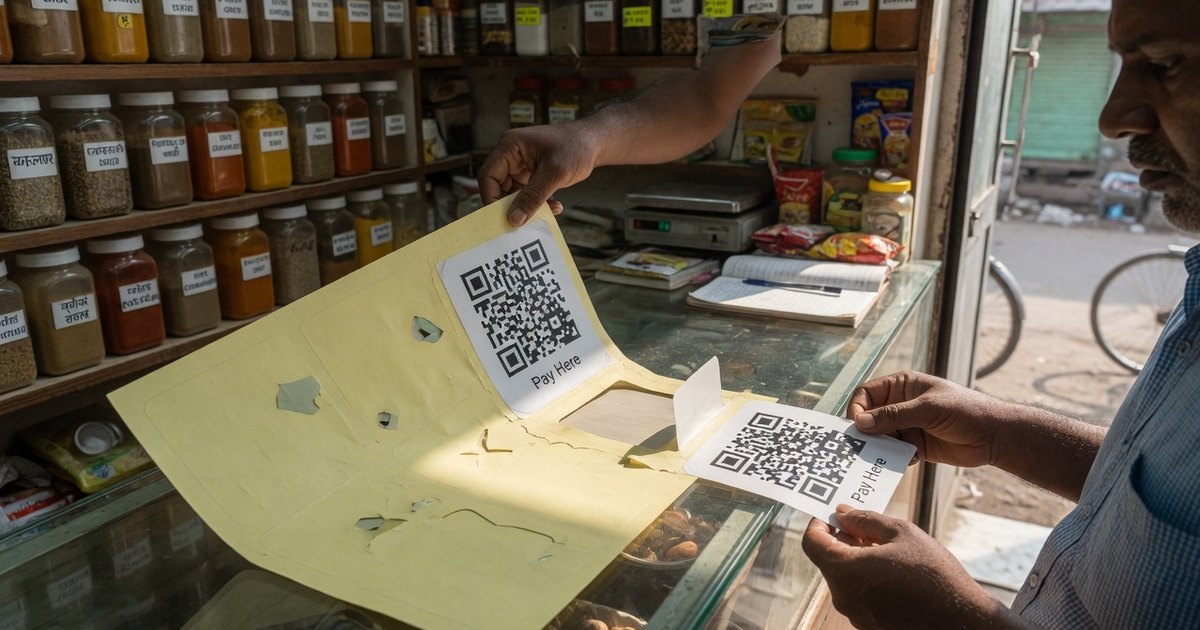
PhonePe QR code sticker order online free is two products glued together. PhonePe Business can ship an official merchant sticker after KYC. You can also print a compatible UPI sticker today from the VPA you already own. Customers can pay either one from PhonePe — the difference is dashboard, soundbox, and branding, not the rail.
Last reviewed 13 September 2026. Confirm in-app sticker charges; PhonePe changes merchant kits without a public changelog.
Print a free sticker this afternoon
- Copy your VPA from PhonePe (Profile → UPI IDs) or any bank app.
- Open the A4 QR sticker sheet generator or the PhonePe-compatible QR.
- Export PDF at the physical size you will cut. Do not stretch a screenshot.
- Print on matte vinyl if it goes on glass; paper is fine for a dry indoor till.
- Test-scan with PhonePe and GPay. Decode with the UPI QR decoder so
pa=is yours.
A4 sheets print 4, 6, or 12 stickers. Full layout notes: printable UPI QR sticker sheet guide. Outdoor tea stalls need waterproof vinyl.
This print is not PhonePe’s official merchant kit. It will not enrol a soundbox or Maps listing.
When to order the official PhonePe sticker
Order from PhonePe Business when you want KYC, settlement reports, or a rented speaker. Activation steps: PhonePe Business QR code activation.
| Print here (free) | Order in PhonePe Business | |
|---|---|---|
| Cost | Paper/vinyl + ink | In-app; often free for the first sticker, confirm in the app |
| Ready | Same day | Courier wait |
| Who can pay | Any UPI app | Any UPI app |
| Soundbox / dashboard | No | Yes, after KYC |
| Reprint after VPA change | Immediate | Re-order or reprint a compatible sheet |
If the in-app order is paid or delayed, print the compatible sheet for the counter and keep the official sticker for the door once it arrives.
Sticker paper, size, and fraud
- Counter QR: at least 2.5–3 cm on the short side. Size chart.
- Avoid gloss lamination — glare is the usual “PhonePe sticker not scanning” complaint.
- Overlay stickers are the common swap fraud. Prefer an acrylic standee over a loose paper square. Inspect daily.
Hardware if you do not want to cut sheets: waterproof QR stickers and acrylic standee (Amazon Associate links labelled).
Frequently asked questions
Q1. Can I order a PhonePe QR sticker online for free?
PhonePe Business lets merchants request a physical QR after KYC; whether that sticker is free is an in-app offer, not a guarantee. A compatible sticker from your VPA is free to print today.
Q2. Will GPay and Paytm users pay a PhonePe sticker?
Yes, if it encodes a live upi://pay VPA. Branding does not lock the app.
Q3. Paper sticker or vinyl?
Paper for a dry indoor till you can replace. Matte vinyl for glass, tiffins, and outdoor counters.
Q4. How do I get a UPI sticker for the shop without PhonePe Business?
Generate the sheet, print, test-scan. You do not need a merchant app for a personal or current-account VPA. Read UPI QR without a business account.
Print a free QR sticker sheet →
Related: Print a UPI standee · GPay print steps · PhonePe vs Paytm vs GPay
Kunal Siyag
Founder, Pro UPI QR
Founder of Pro UPI QR. Builds the generators and calculators, writes the merchant guides, and cites NPCI, RBI, and bank sources instead of inventing a research team.
Related Articles
How to Activate PhonePe Business QR Code (Free Standee Setup)
Step-by-step guide to activate PhonePe Business QR: complete KYC, order free shop standee stickers, and accept payments with zero setup fees.
P2M Full Form & Meaning in Banking and UPI
P2M meaning and full form in UPI and banking: how it differs from P2P, refund days, Oct 2026 MDR, and when a shop needs a merchant VPA.
How to Set Up and Activate Google Pay for Business
Register Google Pay for Business, complete PAN KYC, download the merchant QR, and learn how an official GPay QR differs from a compatible UPI print.
Related tools
Four siblings in this topic — the full inventory lives on the hub.
PhonePe vs Paytm vs GPay
Interoperability, soundboxes, dashboards, and what actually differs.
PhonePe-compatible QR
Print a PhonePe-styled standee for any VPA.
Google Pay-compatible QR
GPay-friendly poster customers can scan from any UPI app.
Paytm-compatible QR
Paytm-styled counter QR for shops and local businesses.