
How to Print a GPay QR Code: Step-by-Step Guide
Export a high-resolution Google Pay QR, pick A6/A5/A4 sizes, use matte stock, and test-scan before the standee goes on the counter.
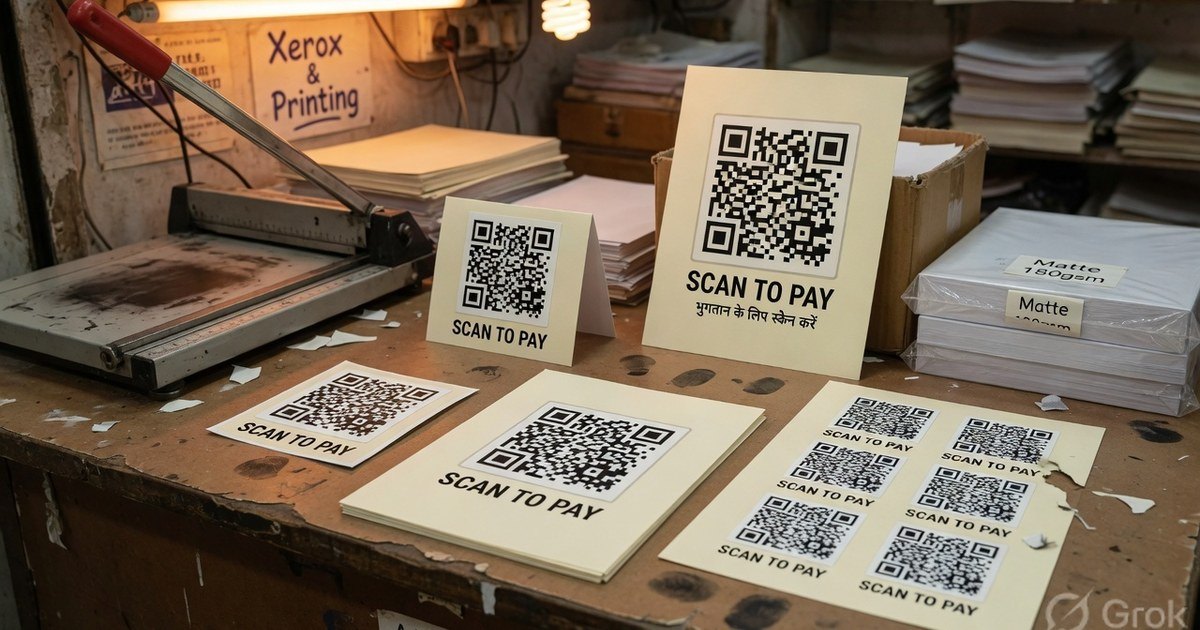
A GPay Business QR is just a UPI QR with Google’s download button around it. Print quality — not the logo — decides whether customers can scan from three feet away. Export a high-resolution file, print on matte 300 GSM (or vinyl), keep a white quiet zone, and test-scan from PhonePe and GPay before the card hits the desk.
Last reviewed 27 August 2026.
1. Export a real file, not a screenshot
Google Pay for Business
- Open the Business app → QR Code.
- Use Save or Share, not a volume-down screenshot.
- Prefer the PNG or PDF the app offers.
Compatible print from a VPA
If you want a branded poster, larger type, or an A4 sticker sheet:
- Open the Google Pay QR generator.
- Enter payee name and the GPay UPI ID (
name@oksbi,name@okhdfcbank, …). - Download PNG or PDF (print-ready raster/PDF — not a phone screenshot).
The official GPay download and a compatible print can share the same VPA. The compatible file is not an official Google merchant kit.
2. Sizes that actually scan
| Display | Size | Holder |
|---|---|---|
| Cashier desk | 4×6 in (A6) or 5×7 in | Acrylic L-stand / T-stand |
| Dining table | ~6–8 cm QR square | Table tent |
| Wall / entrance | A5 or A4 | Laminated board, matte |
| Rider / badge | CR80 (2.1×3.3 in) | ID holder |
QR module size matters more than paper size: keep the QR square at least 2.5 cm for close range and 8 cm if people scan from a queue. Leave a quiet zone of at least 4 modules (about 0.25 in) of plain light margin around the code.
Full standee walkthrough: create and print a UPI QR standee.
3. Materials
- Matte 300 GSM art card in acrylic — default for indoor counters. Glossy lamination mirrors tube lights and fails scans.
- Matte vinyl sticker — glass counters, metal cash boxes, outdoor tea stalls. See waterproof QR stickers.
- Sunboard 3–5 mm — wall hooks and auto dashboards.
- A4 sticker sheets — parcels and extra tills. Sticker sheet generator.
Tell the print shop 300 DPI, no extra contrast filters, no stretching.
4. Test protocol (do this before display)
- Scan with GPay and one other app (PhonePe or BHIM).
- Confirm payee name and VPA.
- Send ₹1 if you have a second account.
- Repeat under the actual counter lights — a code that works at home can fail under a glossy menu lamp.
If it will not scan: QR not scanning.
Frequently asked questions
Q1. Why is my printed Google Pay QR not scanning?
Usually glare (glossy lamination), a screenshot upscaled for A4, or a stretched QR. Reprint from PNG/PDF on matte stock and keep the quiet zone.
Q2. Can PhonePe and Paytm users pay a GPay QR?
Yes. It is a standard UPI payload. Branding on the poster does not lock the rail.
Q3. How do I verify the printed code is safe?
Decode it with the UPI QR decoder and match pa= to your VPA. Then do the two-app test above. Never display a code you have not scanned yourself.
Kunal Siyag
Founder, Pro UPI QR
Founder of Pro UPI QR. Builds the generators and calculators, writes the merchant guides, and cites NPCI, RBI, and bank sources instead of inventing a research team.
Related Articles
Create & Print UPI QR Code Standee for Your Shop
Design, size, and print a matte UPI QR standee for the billing counter — A6/A5 sizes, 300 DPI, quiet zone, and a two-app test-scan checklist.
How to Print Durable, Waterproof QR Stickers for Your Shop
Vinyl, sunboard, and matte lamination for outdoor UPI QR stickers — DPI, quiet zone, contrast, and why glossy film fails in sunlight.
UPI QR PNG vs PDF vs SVG: Best File Format for Printing
Choose the right download format for cyber café prints, professional press, and WhatsApp sharing without blurry or unscannable QRs.
Related tools
Four siblings in this topic — the full inventory lives on the hub.
UPI standee generator
Full-page payment posters for acrylic T-stands.
Printable template gallery
A4, A5, 5×7, table tents, counter cards, and sticker sheets.
PhonePe / GPay QR stickers
Print 4, 6, or 12 shop stickers. Not an official PhonePe kit.
Shop sale poster builder
Discount banners with your UPI QR baked in.