
UPI QR PNG vs PDF vs SVG: Best File Format for Printing
Choose the right download format for cyber café prints, professional press, and WhatsApp sharing without blurry or unscannable QRs.
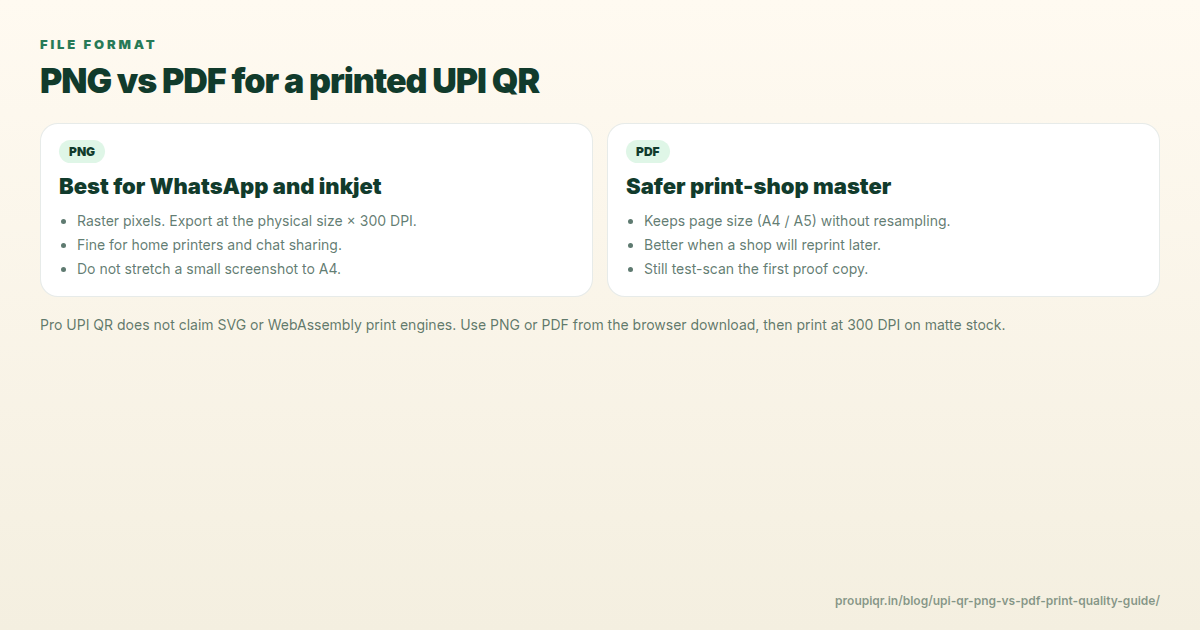
You generated the perfect UPI standee but the cyber café asks “PNG or PDF?” Picking the wrong format causes blurry modules and failed scans.
Quick Recommendation
| Use case | Best format |
|---|---|
| Local print shop / cyber café | PNG at native generator resolution |
| Professional offset press | PDF (export PNG to PDF without resizing) |
| WhatsApp / Instagram | PNG |
| Website embed | PNG or SVG if available |
| Large banner | Vector PDF/SVG — avoid upscaling raster |
Pro UPI QR exports high-resolution PNG poster images with QR embedded in the layout.
PNG (What We Recommend for Most Shops)
Pros:
- Exact pixel output from generator — WYSIWYG print.
- Universal — every print shop accepts PNG.
- Preserves template design + QR together.
Cons:
- Upscaling beyond native resolution blurs QR — tell printer “100% scale, 300 DPI, no stretch.”
Print instruction to give shop:
Print A6 at actual size, 300 DPI, matte, do not enlarge.
Pros:
- Print shops prefer PDF for CMYK professional jobs.
- Embeds size metadata if created correctly.
Cons:
- Bad PDF export (compressed, resized) destroys QR readability.
- Always export from original PNG without downscaling.
How: Open PNG in browser or Preview → Print to PDF at 100% scale, or use img2pdf tools without recompression.
SVG
Pros:
- Infinite scaling for huge banners.
- Crisp QR at any size if QR modules are true vectors.
Cons:
- Not all generators export SVG with valid QR vector paths.
- Rounded template effects may not convert cleanly.
For standees under A4, PNG is simpler and safer.
Formats to Avoid for Print
- JPEG — compression artifacts on QR edges.
- Screenshot of phone screen — wrong DPI, moiré patterns.
- WhatsApp-forwarded image — heavy compression; re-download original PNG.
After Download
- Verify scan on screen.
- Print one proof.
- Check size dimensions.
- Matte laminate.
Download print-ready PNG standee →
Related: Durable waterproof stickers · QR not scanning fixes
Kunal Siyag
Founder, Pro UPI QR
Founder of Pro UPI QR. Builds the generators and calculators, writes the merchant guides, and cites NPCI, RBI, and bank sources instead of inventing a research team.
Related Articles
Create & Print UPI QR Code Standee for Your Shop
Design, size, and print a matte UPI QR standee for the billing counter — A6/A5 sizes, 300 DPI, quiet zone, and a two-app test-scan checklist.
UPI QR Code Printing Size & Dimensions Guide
Minimum QR print sizes, standee dimensions, and scan-distance rules so customers can pay from 3–6 feet at your shop counter.
How to Print Durable, Waterproof QR Stickers for Your Shop
Vinyl, sunboard, and matte lamination for outdoor UPI QR stickers — DPI, quiet zone, contrast, and why glossy film fails in sunlight.
Related tools
Four siblings in this topic — the full inventory lives on the hub.
UPI standee generator
Full-page payment posters for acrylic T-stands.
Printable template gallery
A4, A5, 5×7, table tents, counter cards, and sticker sheets.
A4 QR sticker sheets
Print 4, 6, or 12 counter stickers per sheet.
Shop sale poster builder
Discount banners with your UPI QR baked in.