
UPI QR Code Printing Size & Dimensions Guide
Minimum QR print sizes, standee dimensions, and scan-distance rules so customers can pay from 3–6 feet at your shop counter.

A UPI QR that is too small or printed blurry is the most common reason scan-to-pay fails at shop counters. NPCI does not mandate one global print size, but QR industry standards and camera optics give clear practical rules.
Use this guide before sending your standee to the printer.
Minimum QR Code Size (Quiet Zone Included)
The scannable QR module area (black-and-white squares plus the required white quiet zone border) should be:
| Use case | Minimum QR size | Recommended size |
|---|---|---|
| Handheld scan (customer close) | 2 cm × 2 cm (~0.8“) | 3 cm × 3 cm |
| Counter standee (arm’s length) | 3 cm × 3 cm | 4–5 cm |
| Wall poster / donation banner (4–6 ft away) | 5 cm × 5 cm | 8–15 cm |
Rule of thumb: Scan distance ÷ 10 ≈ minimum QR width in inches. For a 5-foot counter distance, aim for at least a 2-inch (5 cm) QR width.
Recommended Standee Dimensions
| Standee type | Paper / board size | QR size on layout |
|---|---|---|
| Acrylic table tent | 4“ × 6“ (A6) | 1.5“–2“ QR |
| Billing counter card | 5“ × 7“ (A5) | 2“–2.5“ QR |
| Donation / temple poster | 8“ × 11“ (A4) | 3“–4“ QR |
| Glass door sticker | Custom | 2“+ QR, matte laminate |
Download high-resolution PNGs from Pro UPI QR and print at 300 DPI — never upscale a low-res screenshot.
Print Settings That Affect Scanning
- DPI: 300 minimum for counter standees.
- Finish: Matte lamination beats glossy — gloss reflects ceiling lights and blocks cameras.
- Contrast: Pure black modules on white background. Avoid coloured QR modules unless tested.
- Damage: Replace laminated cards when scratches appear over the QR area.
Full material advice: durable waterproof QR stickers.
Test Before You Display
- Print one proof copy.
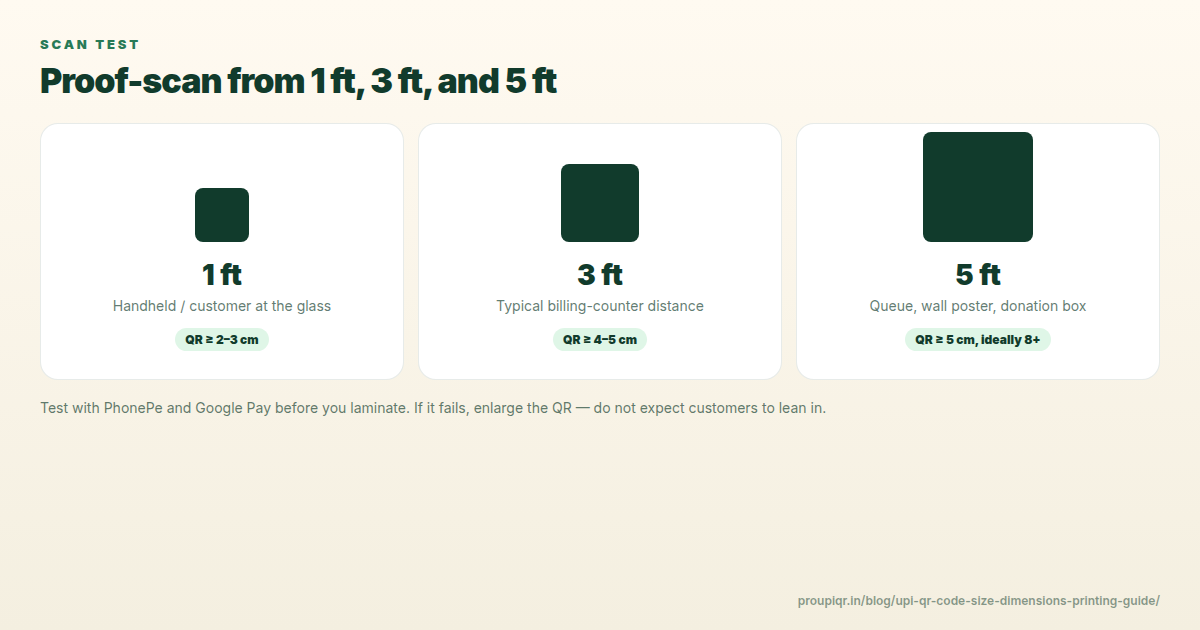
- Scan from 1 ft, 3 ft, and 5 ft with Google Pay and PhonePe.
- Confirm the payee name matches your bank record.
- Do a ₹1 test payment if unsure.
If scans fail, increase QR size before reprinting — do not rely on customers to move closer.
Download a print-ready UPI standee → or try our Free Universal QR Generator for non-payment links.
Related: Printable template gallery · Create and print a shop standee · QR not scanning fixes
Kunal Siyag
Founder, Pro UPI QR
Founder of Pro UPI QR. Builds the generators and calculators, writes the merchant guides, and cites NPCI, RBI, and bank sources instead of inventing a research team.
Related Articles
Create & Print UPI QR Code Standee for Your Shop
Design, size, and print a matte UPI QR standee for the billing counter — A6/A5 sizes, 300 DPI, quiet zone, and a two-app test-scan checklist.
How to Print Durable, Waterproof QR Stickers for Your Shop
Vinyl, sunboard, and matte lamination for outdoor UPI QR stickers — DPI, quiet zone, contrast, and why glossy film fails in sunlight.
UPI QR PNG vs PDF vs SVG: Best File Format for Printing
Choose the right download format for cyber café prints, professional press, and WhatsApp sharing without blurry or unscannable QRs.
Related tools
Four siblings in this topic — the full inventory lives on the hub.
UPI standee generator
Full-page payment posters for acrylic T-stands.
Printable template gallery
A4, A5, 5×7, table tents, counter cards, and sticker sheets.
A4 QR sticker sheets
Print 4, 6, or 12 counter stickers per sheet.
Shop sale poster builder
Discount banners with your UPI QR baked in.