
How to Create and Print a Professional UPI QR Code Standee for Your Shop
A step-by-step guide for local business owners to design, generate, and print high-quality Scan & Pay UPI QR codes and table standees for their billing counters.
Accepting payments at a retail counter requires two things: speed and trust. In India, Unified Payments Interface (UPI) has become the dominant checkout choice for customers. While standard bank-provided QR codes work, they are often plain, small, or cluttered.
Creating a customized, professional payment standee helps your shop stand out, establishes merchant trust, and reduces payment processing friction.
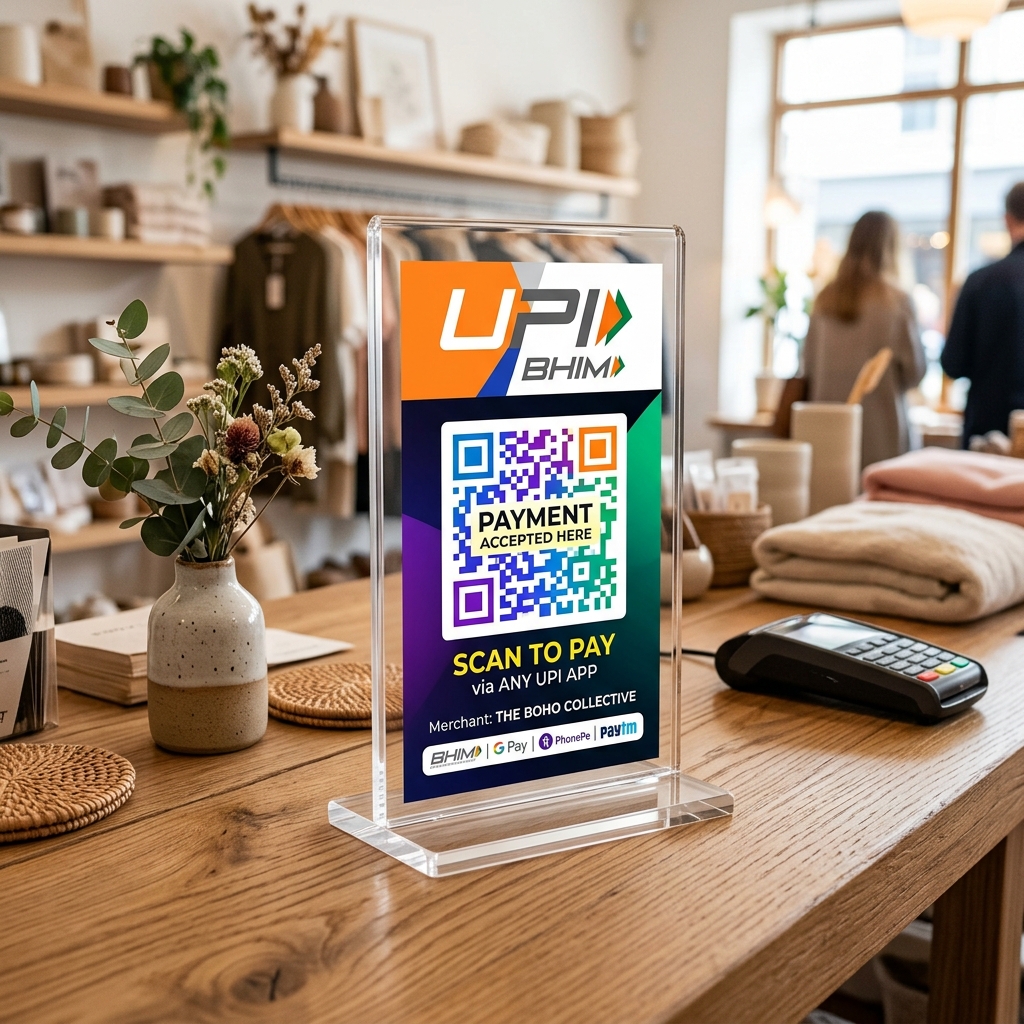
In this guide, we will walk you through how to generate, format, and print a retail-ready UPI QR code standee for your billing counter.
Why Customize Your Shop QR Standee?
Many merchants use default QR stickers pasted on cardboard. While functional, custom standees offer distinct advantages:
- Better Visibility: A well-designed, upright standee is easier to scan from a distance of 3–5 feet.
- Branding Opportunities: Adding your merchant/shop name and official UPI credentials in a large, legible font reassures customers that they are paying the correct account.
- Multi-App Compatibility: A standard UPI QR code conforms to NPCI guidelines, meaning a single standee will work seamlessly with Google Pay, PhonePe, Paytm, BHIM, and any mobile banking app.
- Professional Look: High-quality standees elevate the overall look of your cash counter.
Step 1: Generate Your Base UPI QR Code
To generate a payment-ready QR code, you need a Virtual Payment Address (VPA), commonly known as a UPI ID (e.g., shopname@okaxis or merchant@ybl).
- Go to the Pro UPI QR Generator.
- Enter your Payee Name (the name registered with your bank account).
- Enter your UPI ID / VPA.
- (Optional) If you want to create a static payment desk, leave the amount empty. If you are billing a specific product, you can enter a preset amount.
- Click Generate UPI QR.
Step 2: Choose the Right Template
Pro UPI QR offers several design templates depending on your business type:
- Shop Payment Standee: Best for general kirana shops, grocery stores, and pharmacies. Features a clean border and “Scan & Pay” callout.
- Restaurant Table QR: A vertical, compact template ideal for acrylic table tents in cafes, bakeries, or food trucks.
- Cab / Taxi Dashboard Card: High-contrast design optimized for drivers to place on auto-rickshaw screens or cab dashboards.
Select your template from the preview deck, inspect the layout, and click Download PNG to save the high-resolution image to your device.
Step 3: Select the Right Print Size
Before printing, you need to decide on the physical structure of your standee. The most common commercial standards are:
| Standee Type | Standard Dimensions (Inches) | Best Material |
|---|---|---|
| Acrylic Table Tent | 4“ x 6“ (A6) or 5“ x 7“ | 300 GSM Art Card (inserted inside acrylic) |
| Counter Sunboard | 6“ x 8“ (A5) or 8“ x 11“ (A4) | 3mm or 5mm Sunboard PVC |
| Laminated Sticker | Custom | Glossy Vinyl Sticker Paper |
For billing counters, we recommend an A6 (4“ x 6“) Acrylic Holder. It is sturdy, easily wipeable, and cards can be replaced if your UPI ID changes.
Step 4: Printing Tips for Maximum Scanability
To ensure customer phones can scan your QR code instantly, even in low-light conditions:
- Use High DPI: Print at 300 DPI or higher. Low-resolution prints create fuzzy pixels, making it difficult for camera lenses to resolve the code.
- Choose Matte Finish over Glossy: Glossy lamination reflects overhead lights, creating glares that block camera scanners. Matte lamination or matte paper is ideal.
- Test Before Displaying: Always scan the printed standee with your own phone (using Google Pay or PhonePe) before placing it on the counter. Make sure the payee name is correct and no transaction is initiated unless intended. For outdoor or high-traffic counters, read our guide on printing durable waterproof QR stickers.
Conclusion
A clean, legible payment standee shows customers that your business is modern, trustworthy, and organized. By spending a few minutes printing a professional standee, you ensure a smoother billing experience for your customers.
Create your custom standee code on Pro UPI QR now →
Related guides: Generate UPI QR with a fixed amount · Custom GPay & PhonePe templates · Is it safe to scan a UPI QR?
Pro UPI QR Team
Payment technology research team building privacy-first UPI utilities, merchant tools, and printable standees for Indian business owners.
Related Articles
UPI QR Size & Print Dimensions
Minimum QR sizes and standee dimensions for reliable counter scanning.
Accept UPI Without a POS Machine
Kirana and small shops can skip card terminals with a QR standee.
UPI QR for Restaurants & Cloud Kitchens
Table tents, menu QRs, and WhatsApp order payments.
Other UPI QR Generators
Purpose-built tools for every major payment app.
PhonePe QR Generator
Create a PhonePe-compatible UPI QR with optional amount and note.
Google Pay QR Generator
Build a GPay-friendly standee customers can scan from any UPI app.
Paytm QR Generator
Generate a Paytm-compatible payment QR for shops and local businesses.
Donation QR Generator
Set up a commission-free donation poster for temples, NGOs, and causes.
BHIM UPI QR Generator
Generate standard BHIM UPI QR codes for instant direct bank payments.
WhatsApp Pay QR Generator
Create a WhatsApp Pay compatible UPI QR code for direct chat-to-bank payments.
Amazon Pay QR Generator
Build Amazon Pay compatible UPI QR code standees and bill posters.
SBI UPI QR Generator
Generate State Bank of India (SBI) UPI QR codes for retail checkouts.
HDFC Bank UPI QR Generator
Create HDFC Bank compatible UPI payment posters for invoicing.
ICICI Bank UPI QR Generator
Generate ICICI Bank compatible UPI billing QR codes.
Axis Bank UPI QR Generator
Create Axis Bank compatible UPI payment posters and counter standees.
Kotak Bank UPI QR Generator
Generate Kotak Mahindra Bank compatible UPI payment QR codes.
PNB UPI QR Generator
Create Punjab National Bank compatible UPI collection QRs for business.
Canara Bank UPI QR Generator
Generate Canara Bank compatible payment QR codes for local stores.
Bank of Baroda QR Generator
Build Bank of Baroda UPI payment posters and standee cards.
IndusInd Bank QR Generator
Create IndusInd Bank compatible UPI payment QR codes.
Union Bank UPI QR Generator
Generate Union Bank of India UPI billing and collection QR codes.
Kirana Shop UPI QR Generator
Generate counter-ready UPI QR posters for grocery stores and local shops.
Taxi & Auto UPI QR Generator
Create scan-to-pay payment posters for cab drivers, auto rickshaws & transit.
Freelance Payment QR Generator
Generate zero-fee payment QRs for client invoices and remote work billing.
Restaurant & Cafe QR Generator
Build table tent payment QRs for cafes, restaurants, and cloud kitchens.
IDFC FIRST Bank QR Generator
Create IDFC FIRST Bank compatible UPI payment posters and QR cards.
IDBI Bank UPI QR Generator
Generate IDBI Bank compatible UPI payment collection QRs.
Yes Bank UPI QR Generator
Create Yes Bank compatible payment QR posters for merchants.
RBL Bank UPI QR Generator
Generate RBL Bank compatible payment QR codes for checkout counters.
Central Bank UPI QR Generator
Build Central Bank of India compatible UPI payment posters.
Gym & Fitness UPI QR Generator
Create membership fee & trainer payment QRs for fitness studios.
Salon & Spa UPI QR Generator
Generate beauty salon and spa billing payment QRs for front desks.
Parking Lot UPI QR Generator
Build rapid scan-to-pay parking fee posters for valet & vehicle lots.
Temple & NGO Donation QR Generator
Generate zero-commission donation QRs for temples, trusts, and NGOs.
SBI Business QR Code Generator
Create a free State Bank of India (SBI) business & merchant payment QR standee.
Universal UPI QR Code Generator for Bank Account
Link any Indian bank account to a free universal payment QR code.
HDFC Business QR Code Generator
Generate HDFC Bank merchant payment QRs for counter standees & billing.
ICICI Business UPI QR Generator
Create ICICI Bank business collection QRs with zero commission.
Doctor & Clinic UPI QR Generator
Generate payment QR codes for clinics, hospitals, and consultation desks.
Related Guides
Step-by-step articles on printing, setup, and security.
How to Generate Bulk UPI QR Codes from Excel CSV
Learn how to batch generate hundreds of custom-amount UPI payment QR codes from an Excel spreadsheet.
How to Print Free UPI QR Code Sticker Sheets on A4 Paper
Step-by-step tutorial to print 4, 6, or 12 high-resolution QR stickers for shop counters and packaging boxes.
Universal UPI QR Code Generator for Bank Account — Complete Guide
Learn how universal UPI QR codes work, how to connect any bank account, and accept PhonePe, GPay & Paytm payments.
Universal UPI QR Code Generator App — Mobile Web Guide
How to use Pro UPI QR as a mobile web app without app store downloads. Generate UPI QR posters right from your phone.